Examples
The repository examples are intentionally small. They are smoke tests for core behavior and copyable starting points for your own tapes. Render all examples from a checkout with:
mise run render-examplesGenerated files are written under examples/output and copied to target/betamax-examples for
local inspection. README GIF previews are hosted as GitHub Release assets; curated site previews may
also live under site/public/assets with Git LFS. See
Generated media storage for the full storage guidance.
Example index
Section titled “Example index”| Tape | Demonstrates | Useful docs |
|---|---|---|
quick-start.tape |
installing, help, new, and nested run |
Quick start |
basic.tape |
typing, waits, theme, window bar, border radius | Tape files, themes |
hide-show.tape |
hidden setup and hidden trailing cleanup | Hidden work |
waits.tape |
line, screen, regex, and default prompt waits | Wait commands |
keys.tape |
key commands, repeats, editing, and interrupt | Input and keys |
| keyboard-overlay | input labels over review media | Presentation overlays |
clipboard-env.tape |
Env, Copy, and Paste |
Tape reference |
captions.tape |
visual captions for review media | Presentation overlays |
presentation-overlays.tape |
captions plus keyboard overlay layout | Presentation overlays |
outputs.tape |
GIF, PNG, JSON, screenshot, state, frame dir | Outputs |
scrollback.tape |
scrollback-inclusive state JSON | State JSON |
text-styles.tape |
ANSI styles, truecolor, and styled state spans | State JSON |
layout.tape |
padding, margin, fill, window bar, radius | Themes and styling |
themes.tape |
copied Ghostty themes and palette mapping | Theme lookup |
screenshot.tape |
screenshots and terminal state JSON | Checkpoints |
video.tape |
GIF, MP4, and WebM from one capture | Video encoding |
Preview GIFs
Section titled “Preview GIFs”These previews come from the example tapes above.
Quick start
Section titled “Quick start”
quick-start.tape shows the full first-run path: install check, help output, creating a starter
tape, inspecting it, running it, and listing the generated GIF.

basic.tape is the smallest useful demo: it sets a portable shell, chooses Aardvark Blue, types
one command, waits for the result, and hides shell cleanup.
Hide and show
Section titled “Hide and show”
hide-show.tape runs setup without recording it. Setup updates terminal state, and Show starts
the animation with the prepared screen.
Captions
Section titled “Captions”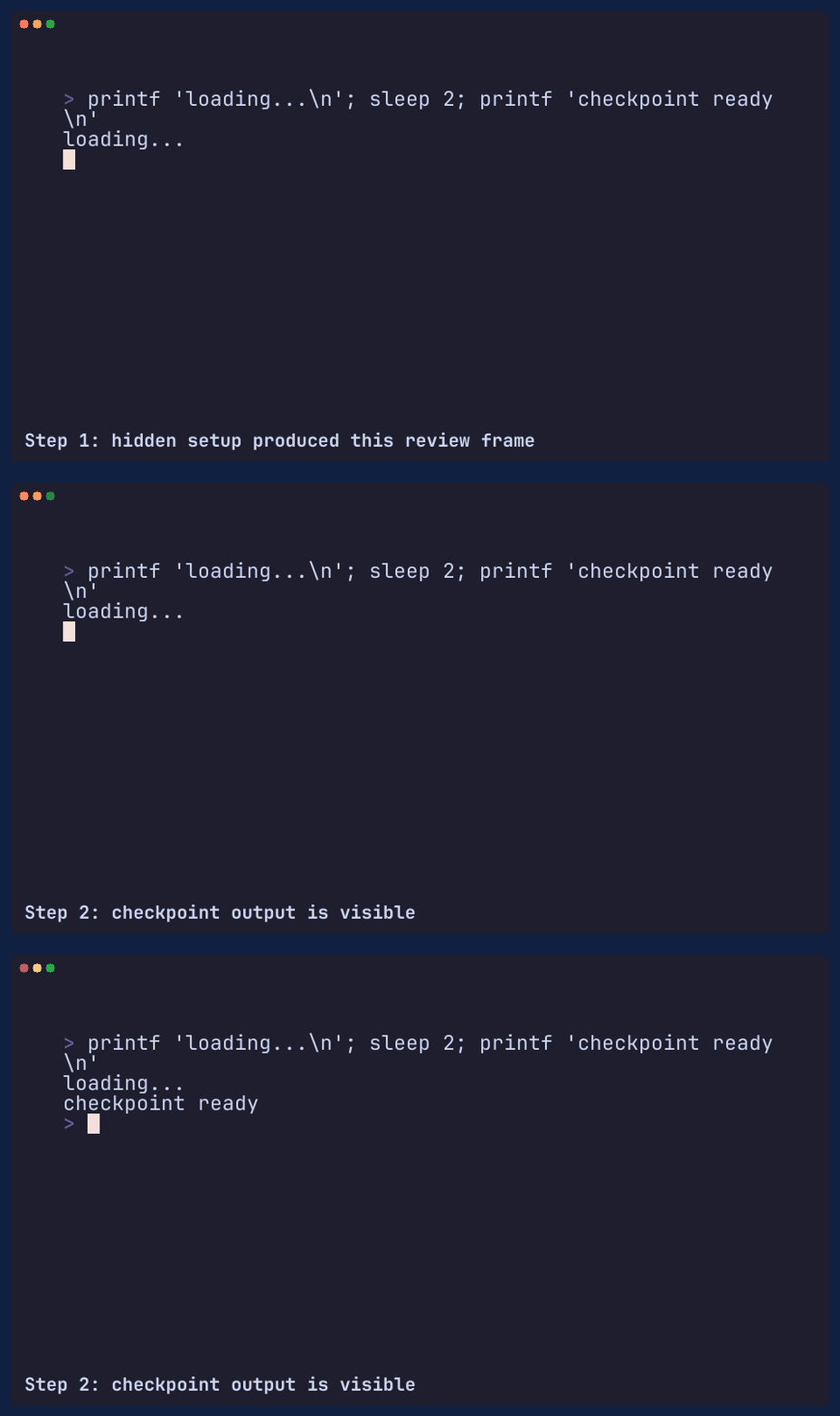
captions.tape annotates rendered media without changing the terminal session. Caption changes are
presentation metadata: waits and state outputs keep matching the terminal itself. Captions render in
a reserved presentation row below the terminal canvas.
Keyboard overlay
Section titled “Keyboard overlay”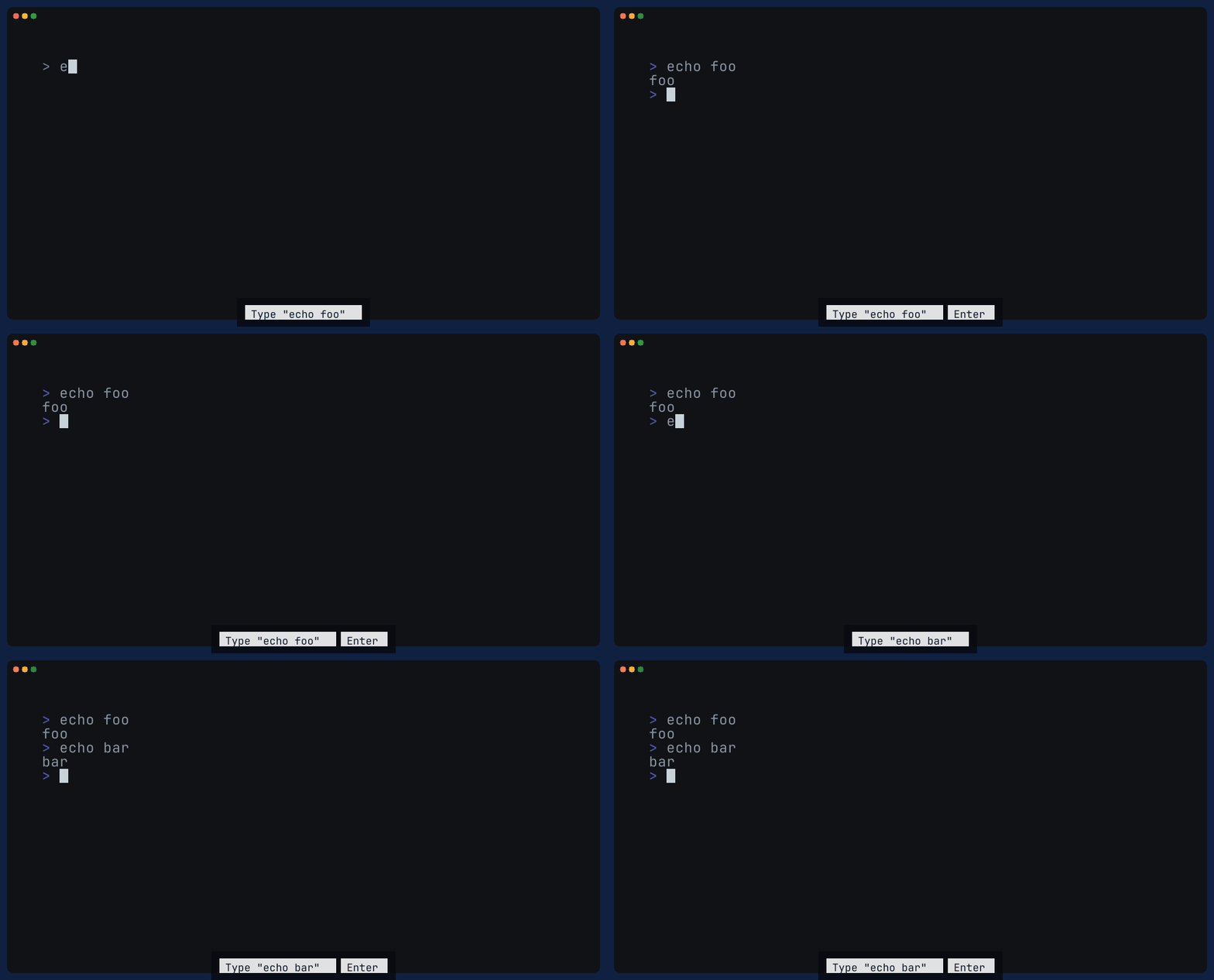
keyboard-overlay.tape shows typed commands and key presses as compact labels over generated media.
See Presentation overlays for overlay modes and placement.
Labels appear when input is queued and linger briefly after typing, which keeps review GIFs readable
without turning the overlay into a permanent command log.
presentation-overlays.tape combines captions and keyboard overlay chips. The caption is
left-aligned with the terminal frame, key chips are right-aligned, and long captions are truncated
with ... rather than wrapped over the chips. Caption glyphs are clipped to their reserved width as
a final guard for font fallback and unusually wide characters.
Themes
Section titled “Themes”
themes.tape shows ANSI colors mapped through a bundled Ghostty theme.
Use betamax themes to list the names available to Set Theme.

video.tape writes GIF, MP4, and WebM from one capture. The GIF is encoded in process; MP4 and
WebM are handed to ffmpeg.
Example patterns
Section titled “Example patterns”Use examples/outputs.tape when checking artifact behavior. It writes a GIF, a PNG, final state
JSON, a PNG frame directory, a checkpoint screenshot, and checkpoint state JSON.
Use examples/scrollback.tape and examples/text-styles.tape when evaluating
terminal testing. Together they exercise the parts of
state JSON that matter for snapshot tests: viewport text, scrollback text,
default style, non-default style table entries, and styled spans.
Use examples/waits.tape when debugging timing. It shows the three wait targets and a custom
WaitPattern, which is usually preferable to adding sleeps.