jk manual
Run commands with retained output
Use noninteractive jj and external commands, inspect their output, and recognize tool handoff limits.
Press : for a jj command or ! for an external executable. Both modes retain output inside jk and
record the result in Command History. They close stdin and do not provide a foreground terminal to
the child command.
Run a jj query or mutation
Start in the repository you intend to inspect or change. Press :, enter a jj argument list, and
press Enter:
:status
:log -r 'mine()'
:describe -m 'Explain the parser change' @
The leading colon represents the prompt key; type the command after it. A leading jj in the input
is optional. Quotes and backslashes group arguments, so a message with spaces remains one argument.
The parser does not start a shell.
Enter executes directly. There is no additional native preview for an arbitrary mutation. The log
cursor and marks do not become implicit operands; specify a revision, fileset, or operation where
needed. Esc cancels before execution, Ctrl-u clears the input, and Backspace edits it.
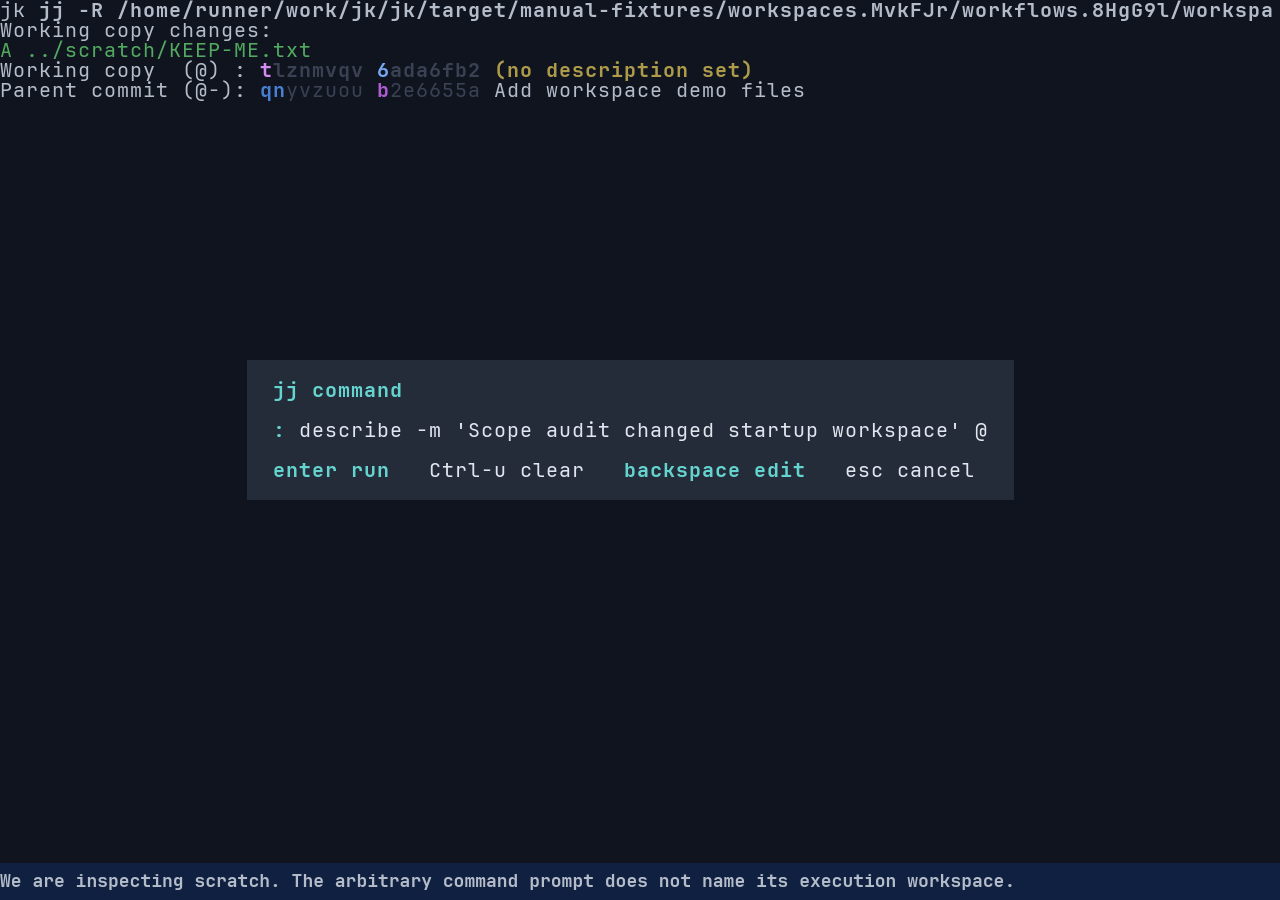
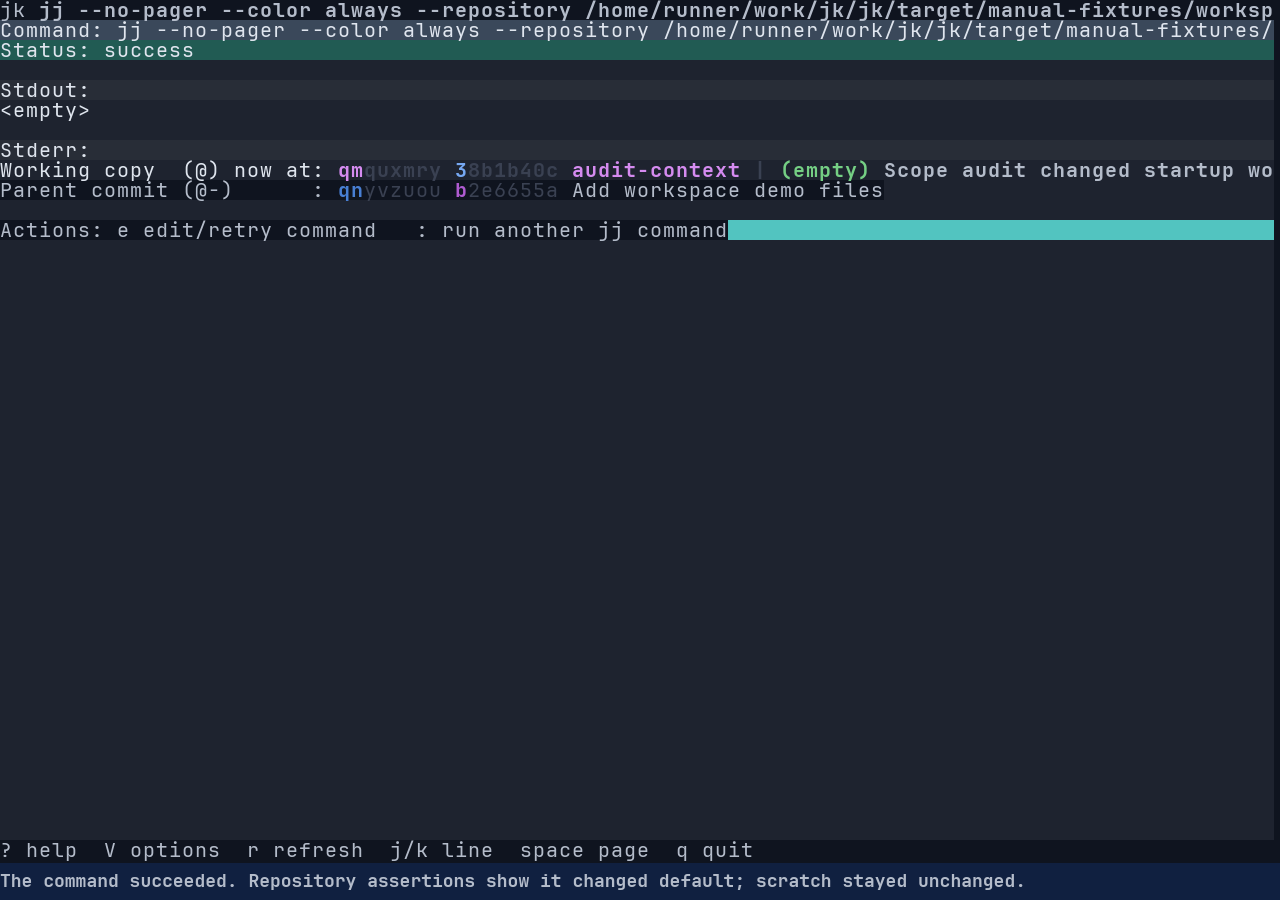
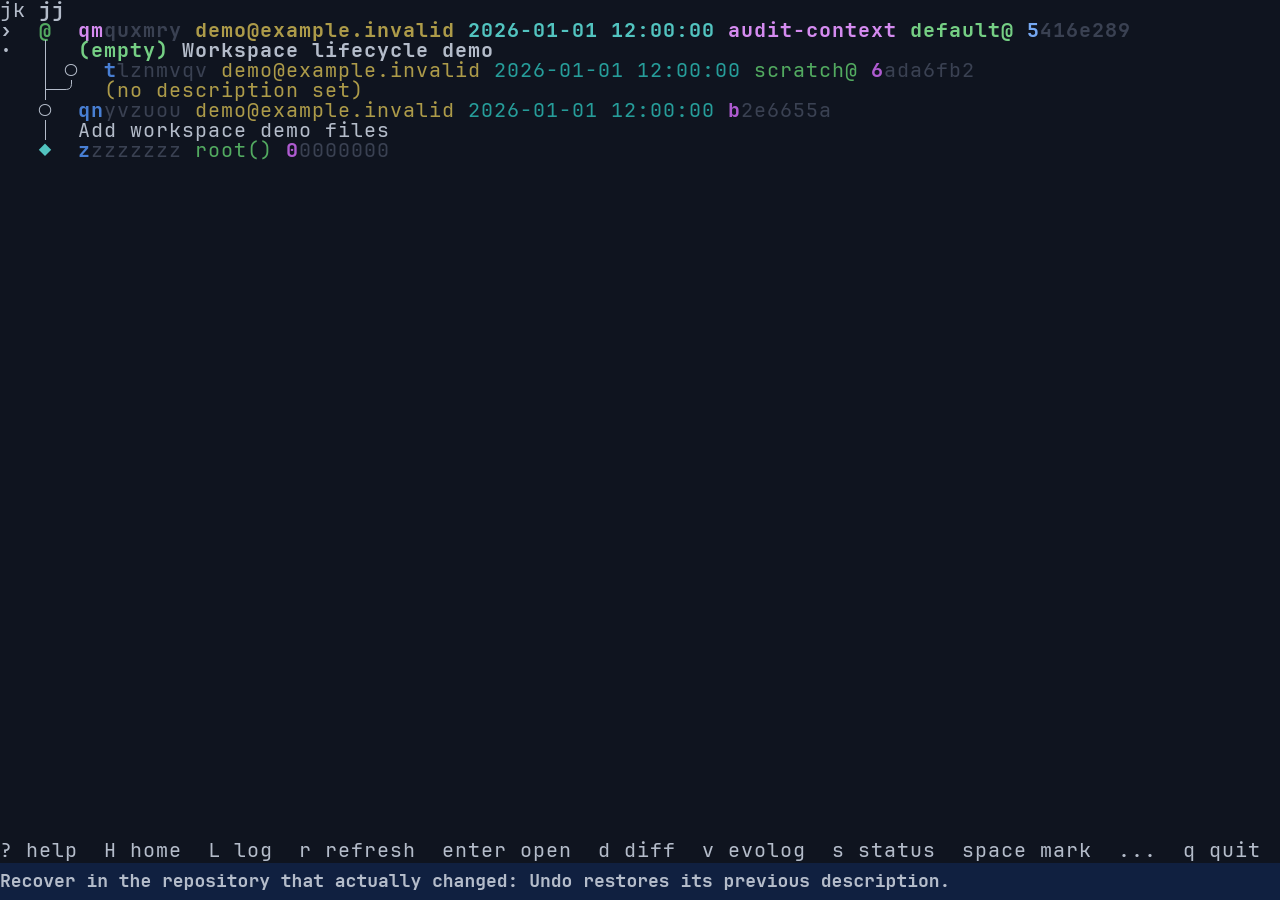
Opening a sibling workspace inspection does not switch the command prompt’s repository. : still
uses the startup repository, and ! still uses its startup working-directory scope. The prompt does
not show which repository it targets. Use an explicit
-R in a jj command or reopen jk for the intended workspace before running a mutation.
Read the command-output view’s status, stdout, and stderr. e reopens the previous input for
editing or retry. Backspace returns to the preceding view; Esc quits jk from this output view.
Refresh the preceding view after a command that changed repository state; captured command mode does
not select a new native graph query for you.
C opens its history record and y in history copies the command line. The manual refresh
requirement is tracked as a result refresh gap.
Use noninteractive jj forms
These examples use jj 0.45.1 argument forms. Replace example paths, names, and revision expressions with objects you have inspected. They execute real operations when submitted; none opens a native jk workflow for the command family.
| Concern | Captured command example |
|---|---|
| Finish the current work | :commit -m 'Finish parser validation' |
| Split a known file | :split -r @ -m 'Extract tests' tests/parser.rs |
| Move fixes into ancestors | :absorb --from @ |
| List unresolved conflicts | :resolve --list -r @ |
| Copy a change | :duplicate @- |
| Apply a reverse change | :revert -r @- -o @ |
| Compare rewritten versions | :interdiff --from OLD --to NEW |
| Inspect tags | :tag list |
| Create a local tag | :tag set review-point -r @ |
| Track a remote bookmark | :bookmark track exact:incoming --remote exact:fixture |
| Stop tracking it | :bookmark untrack exact:incoming --remote exact:fixture |
For commit, begin with the intended content in @ and verify both the completed change and the new
working copy afterward. Selecting a different log revision does not make commit operate on it. For
split, begin with at least two separable pieces of content, pass a fileset and -m, then inspect
both resulting changes. Omitting the fileset starts an interactive diff editor, which captured mode
cannot host.
For absorb, begin with fixes whose destination ancestors are still mutable. Inspect those ancestors
and any content left in the source afterward; jj can leave edits it cannot assign unambiguously.
Duplicate creates a new change with the selected change’s content; revert creates a reverse change
on the specified destination. Inspect their new graph positions and diffs. Use operation recovery
for an unintended successful local mutation. Resolve with --list only reports conflicts. Tag set
creates a local tag; inspect :tag list afterward. Track and untrack change a remote bookmark’s
local tracking relationship; refresh B to verify it.
Fileset forms of squash and restore can also run as explicit noninteractive jj commands. Read the installed command’s help to choose its source and destination, and verify the selected paths after execution. Native file and hunk selection is unavailable; no selection in jk’s diff view is passed to these commands.
Use the dedicated bookmark and remote flows
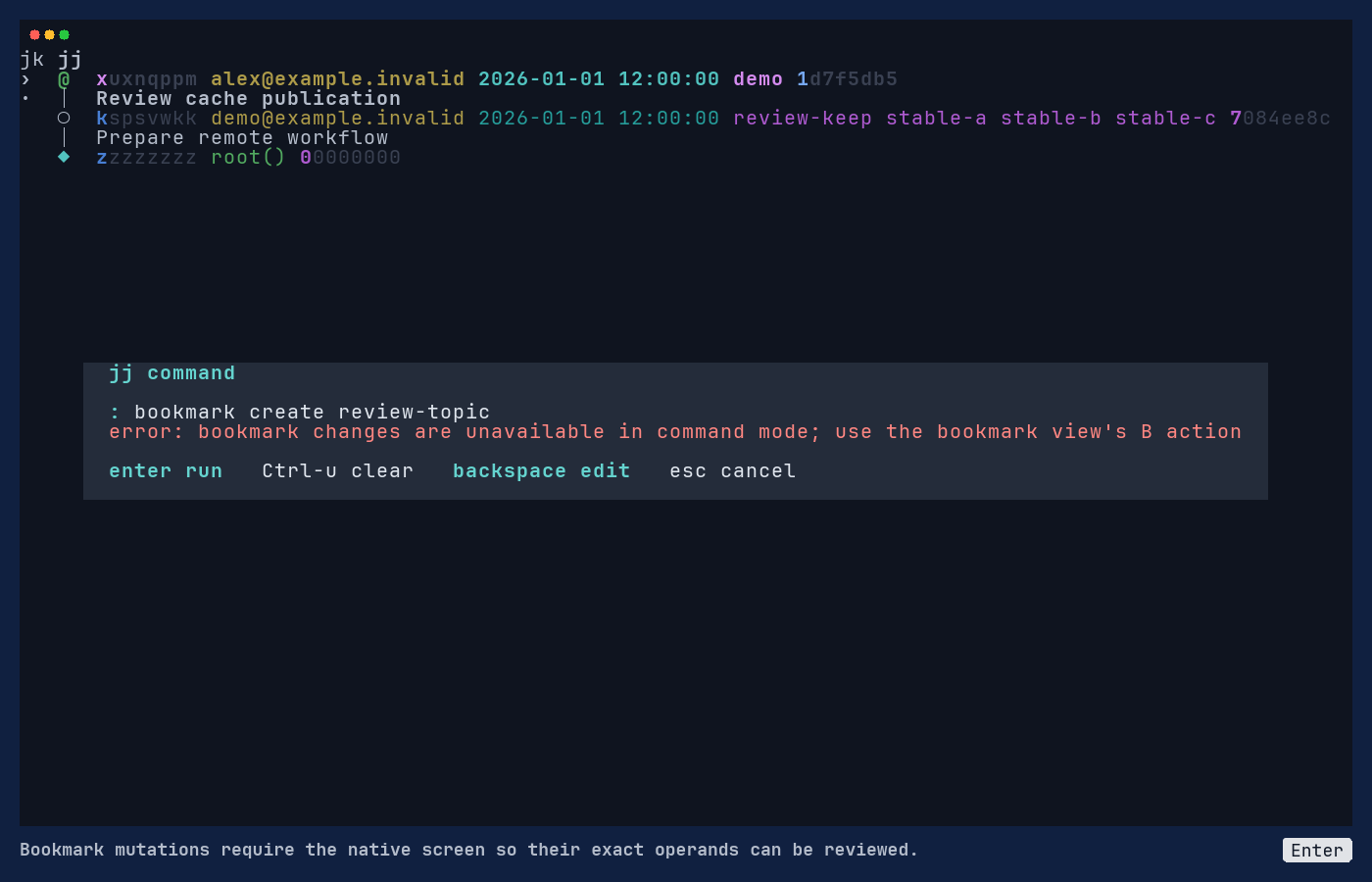
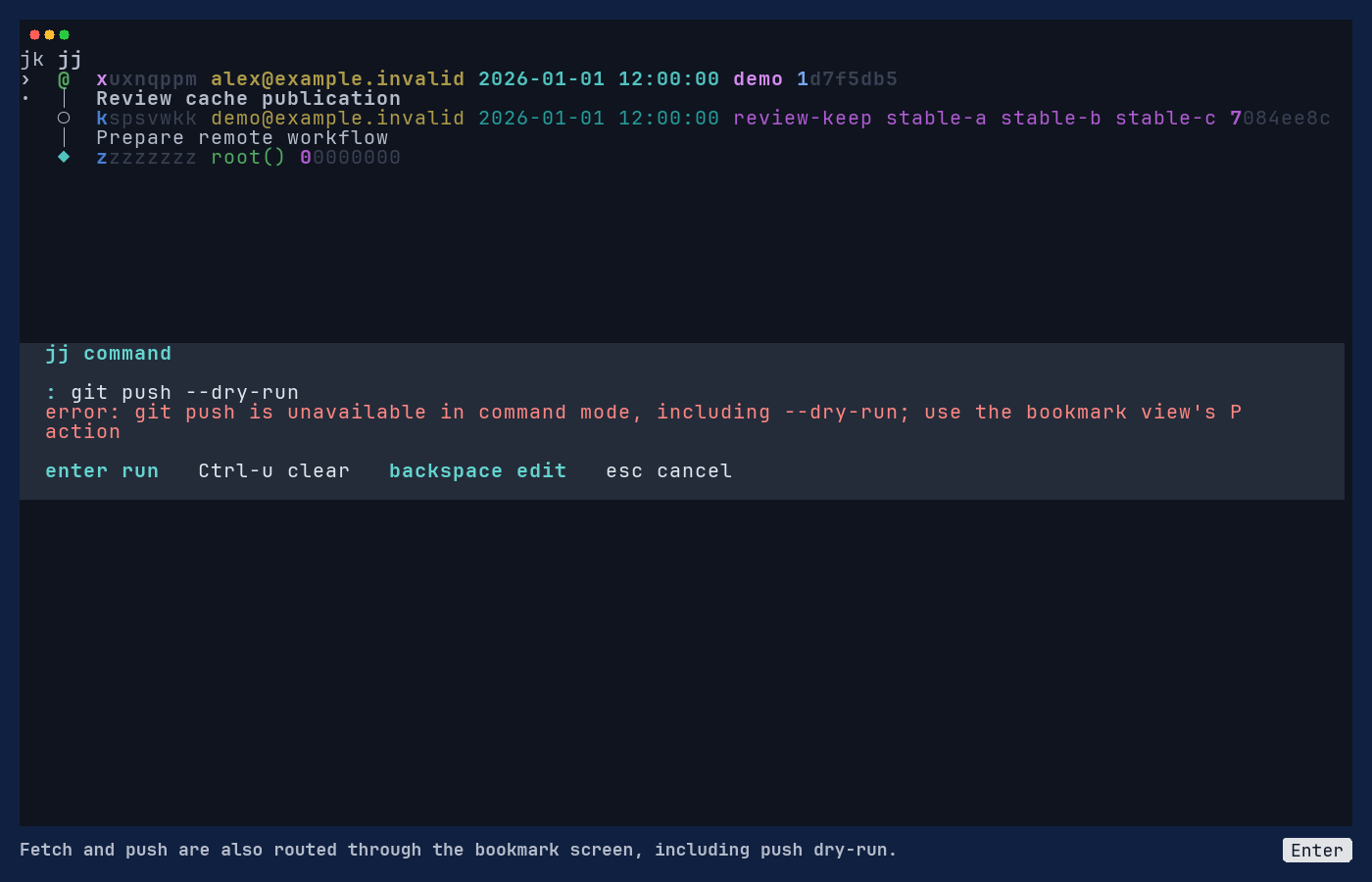
Command mode rejects bookmark create, move, and delete, including their recognized short aliases. It
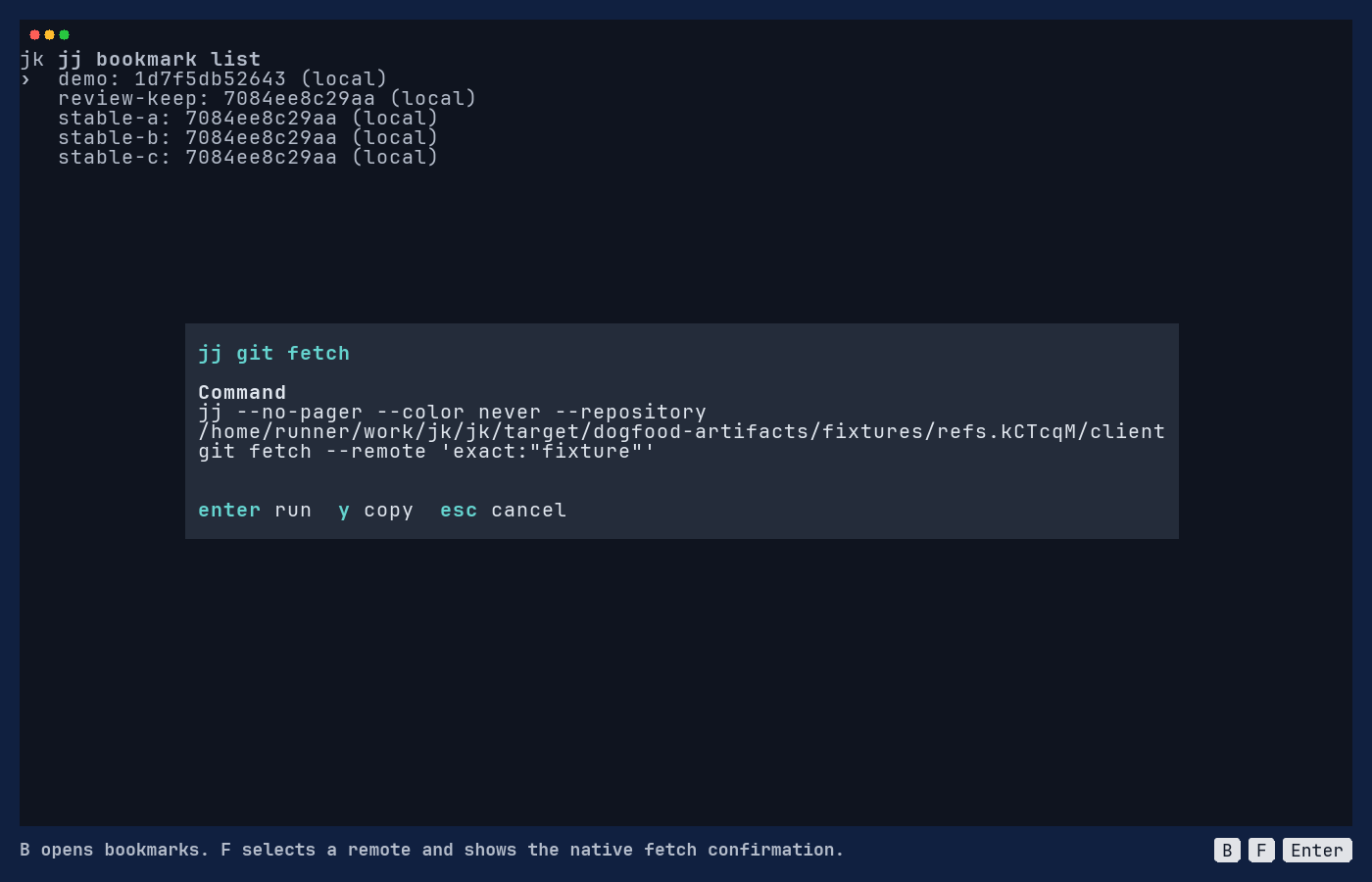
also rejects git fetch and git push, including push dry-run. Use the bookmark
screen for native create/move/delete, explicit remote fetch, and a
one-bookmark push dry-run. Real publication requires leaving jk.
Other noninteractive bookmark, tag, workspace, and operation commands remain captured alternatives. They use jj’s own argument rules and do not inherit the native forms’ exact-name handling or previews. Check patterns and operands before executing them.
Run an external executable
Press ! and enter an executable with explicit arguments:
!printf '%s\n' 'hello from jk'
!rg -n 'TODO' src
The command runs with the repository path as its working directory when jk has an explicit repository scope. Otherwise it inherits jk’s process directory. It can read or change files according to the program you choose. Inspect its output and exit status, then refresh the repository view if it changed files.
Shell metacharacters such as $, |, >, and && remain literal arguments. To request a shell,
invoke it explicitly:
!sh -c 'printf "one\ntwo\n" | head -n 1'Here the shell receives and interprets the quoted script. jk itself does not expand its variables, pipeline, or redirection. An external command is not a repository undo boundary; recover its side effects using the relevant program or files, then verify jj status.
Handle parse and execution failures
An unfinished quote or dangling escape keeps the prompt open with an error. Fix the input or press
Esc to cancel. A missing executable produces a spawn error. A child that exits unsuccessfully
shows its exit code; on supported platforms, termination by a signal is identified separately.
Press e from the retained output to correct and retry. Do not retry a mutation merely because its
output was unexpected: inspect the affected objects and Command History first. History redacts
recognized secret patterns, but it remains a session-only record.
Leave jk for an interactive tool
Foreground editors, interactive split or diffedit, merge tools, credential prompts, and full-screen
programs require a terminal handoff that jk does not implement. Quit jk with q, run the tool in
the intended workspace, then restart jk and inspect status and diff.
Supplying messages and filesets can make some commands noninteractive. It does not turn an editor or merge tool into a supported captured workflow. The missing handoff and native forms are tracked in the UX audit and coverage map.
Watch the workflow
Correct command input and inspect failures
Screenshots and terminal evidence
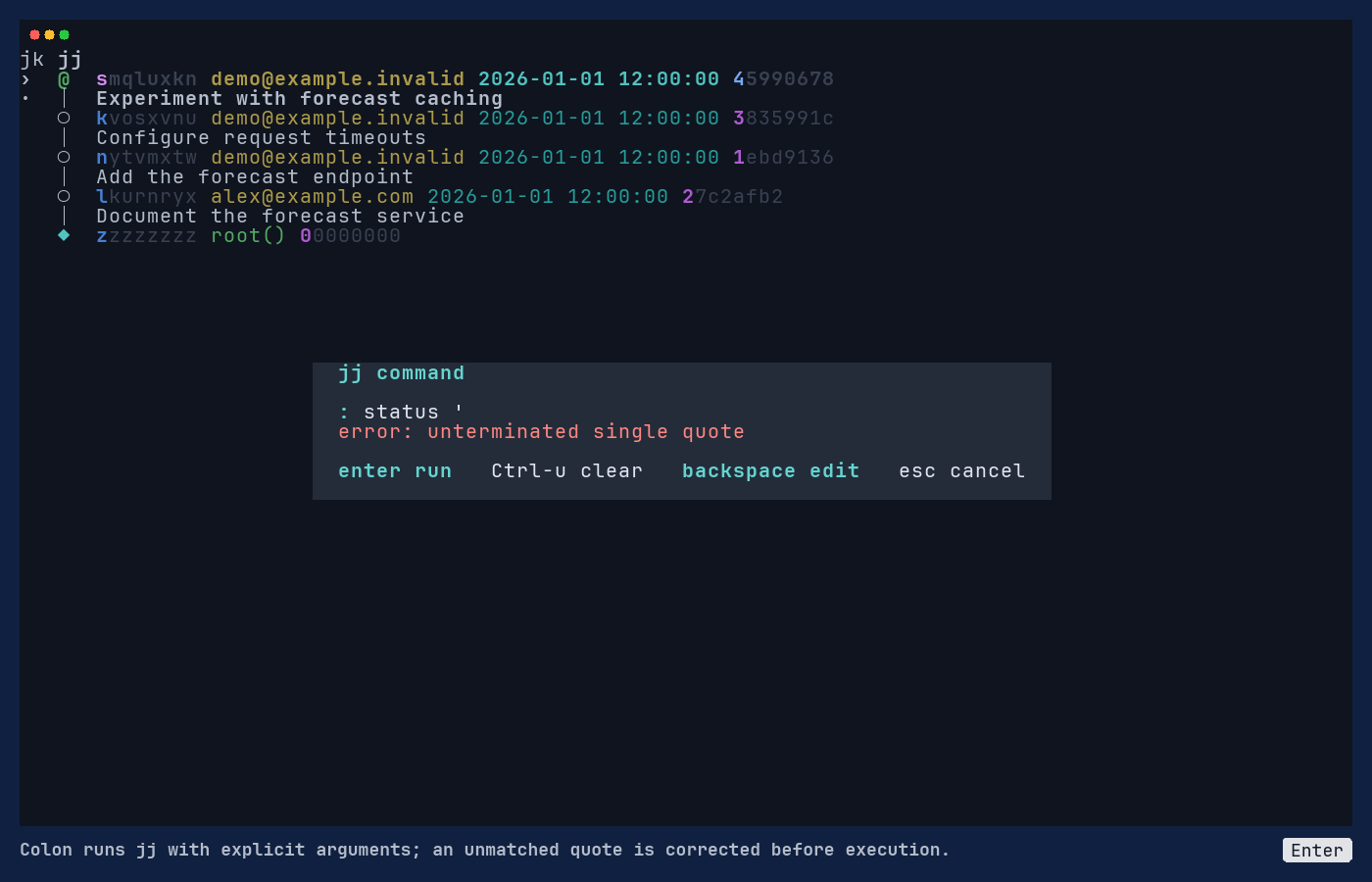
Read the terminal text
jk jj
›  @  smqluxkn [email protected] 2026-01-01 12:00:00 45990678
·  │  Experiment with forecast caching
   ○  kvosxvnu [email protected] 2026-01-01 12:00:00 3835991c
   │  Configure request timeouts
   ○  nytvmxtw [email protected] 2026-01-01 12:00:00 1ebd9136
   │  Add the forecast endpoint
   ○  lkurnryx [email protected] 2026-01-01 12:00:00 27c2afb2
   │  Document the forecast service
   ◆  zzzzzzzz root() 00000000


                         jj command

                         : status '
                         error: unterminated single quote

                         enter run   Ctrl-u clear   backspace edit   esc cancel
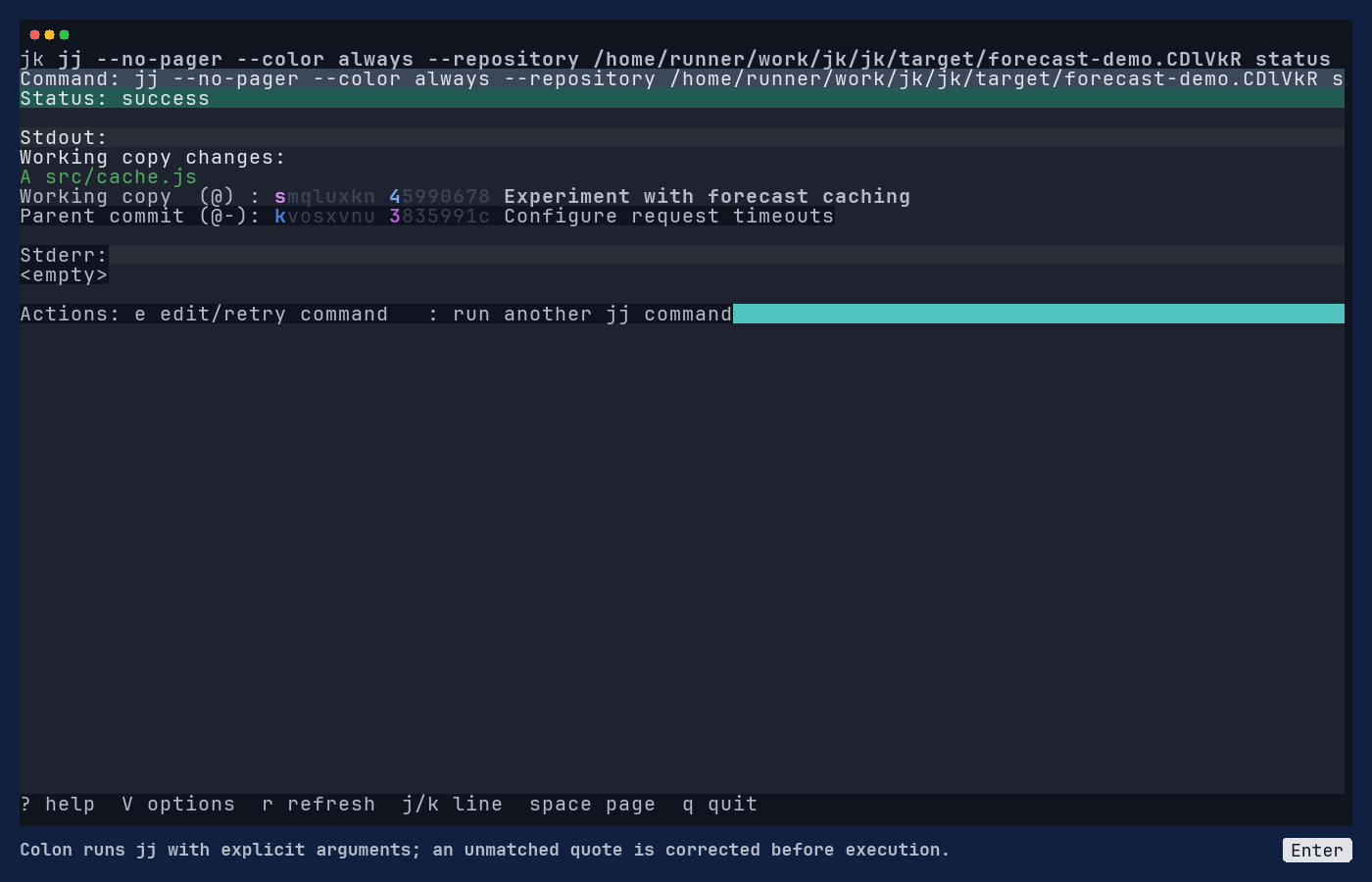
Read the terminal text
jk jj --no-pager --color always --repository /home/runner/work/jk/jk/target/forecast-demo.CDlVkR status
Command: jj --no-pager --color always --repository /home/runner/work/jk/jk/target/forecast-demo.CDlVkR s
Status: success

Stdout:
Working copy changes:
A src/cache.js
Working copy  (@) : smqluxkn 45990678 Experiment with forecast caching
Parent commit (@-): kvosxvnu 3835991c Configure request timeouts

Stderr:
<empty>

Actions: e edit/retry command   : run another jj command


? help  V options  r refresh  j/k line  space page  q quit
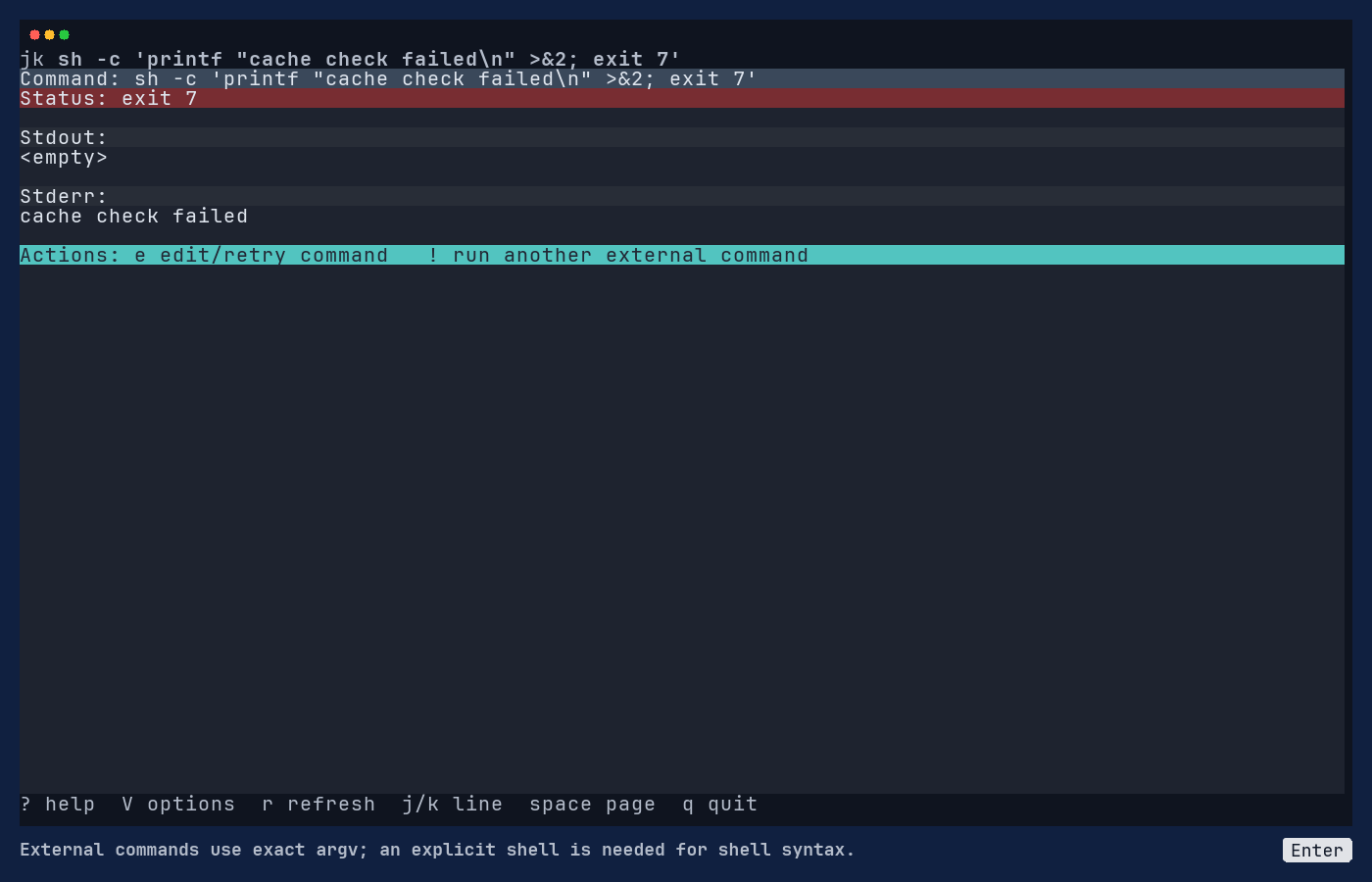
Read the terminal text
jk sh -c 'printf "cache check failed\n" >&2; exit 7'
Command: sh -c 'printf "cache check failed\n" >&2; exit 7'
Status: exit 7

Stdout:
<empty>

Stderr:
cache check failed

Actions: e edit/retry command   ! run another external command


? help  V options  r refresh  j/k line  space page  q quit
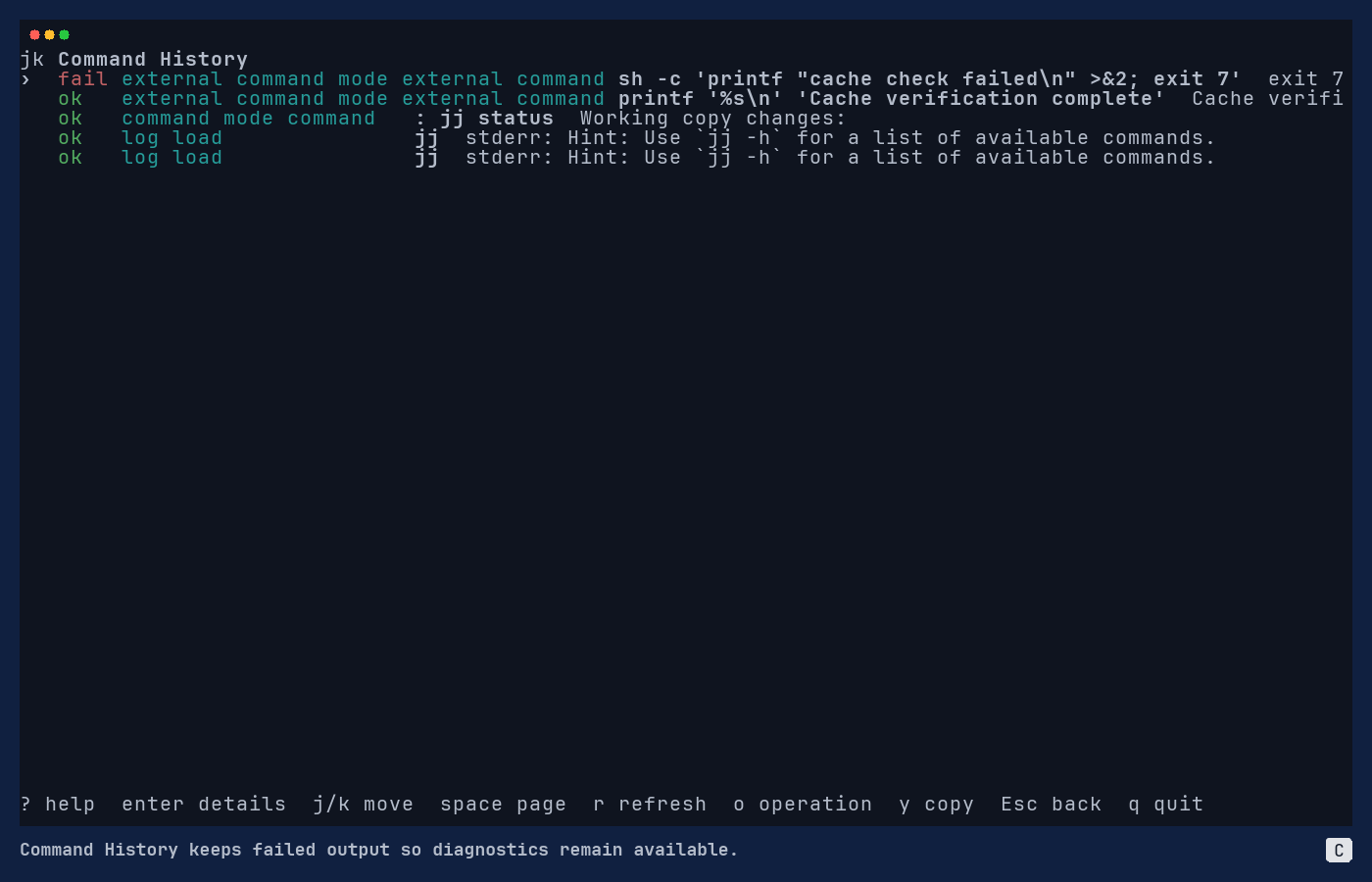
Read the terminal text
jk Command History
›  fail external command mode external command sh -c 'printf "cache check failed\n" >&2; exit 7'  exit 7
   ok   external command mode external command printf '%s\n' 'Cache verification complete'  Cache verifi
   ok   command mode command   : jj status  Working copy changes:
   ok   log load               jj  stderr: Hint: Use `jj -h` for a list of available commands.
   ok   log load               jj  stderr: Hint: Use `jj -h` for a list of available commands.


? help  enter details  j/k move  space page  r refresh  o operation  y copy  Esc back  q quit
Binary, tool versions, and file hashes · Accepted pixel, text/style, and video review · action-diagnostics/bin/dependencies.log · action-diagnostics/tape-1.log · Outcome assertions 1
All retained evidence (46 files)
Includes source tapes, original helper scripts, fixture details, terminal states, and logs.
- action-diagnostics/bin/dependencies.log
- action-diagnostics/manifest.json
- action-diagnostics/tape-1.log
- build-provenance.json
- capture.tape
- checkpoint-summary.json
- fixture-env.sh
- fixture.json
- manual-command-mode-assertions.json
- manual-command-mode-failure.json
- manual-command-mode-failure.png
- manual-command-mode-history.json
- manual-command-mode-history.png
- manual-command-mode-jj-success.json
- manual-command-mode-jj-success.png
- manual-command-mode-parse-error.json
- manual-command-mode-parse-error.png
- manual-command-mode.mp4
- manual-command-mode.tape
- source-scripts/abandon-dialog-fixture.sh
- source-scripts/action-menu-demo-fixture.sh
- source-scripts/betamax-cancellable-jj.sh
- source-scripts/betamax-fixture-env.sh
- source-scripts/betamax-fixture.sh
- source-scripts/betamax-setup.sh
- source-scripts/check-manual-coverage.py
- source-scripts/check-refresh-proof.py
- source-scripts/check-run-options-proof.py
- source-scripts/manual-assert.sh
- source-scripts/manual-audit-assert.py
- source-scripts/manual-fixture-jj.sh
- source-scripts/manual-fixture.sh
- source-scripts/manual-recordings.py
- source-scripts/package-release-archive.sh
- source-scripts/prepare-manual-evidence.py
- source-scripts/prepare-preview.sh
- source-scripts/reflow-rust-comments.py
- source-scripts/refs-remotes-demo-fixture.sh
- source-scripts/run-betamax.sh
- source-scripts/shared-selector-demo-fixture.sh
- source-scripts/test_manual_evidence.py
- source-scripts/test_manual_recordings.py
- source-scripts/workflows-demo-fixture.sh
- source-scripts/workspace-lifecycle-demo-fixture.sh
- source.tape
- accepted-review.json
Other recorded forms and recovery paths (2)
Check which workspace a command will change
Screenshots and terminal evidence
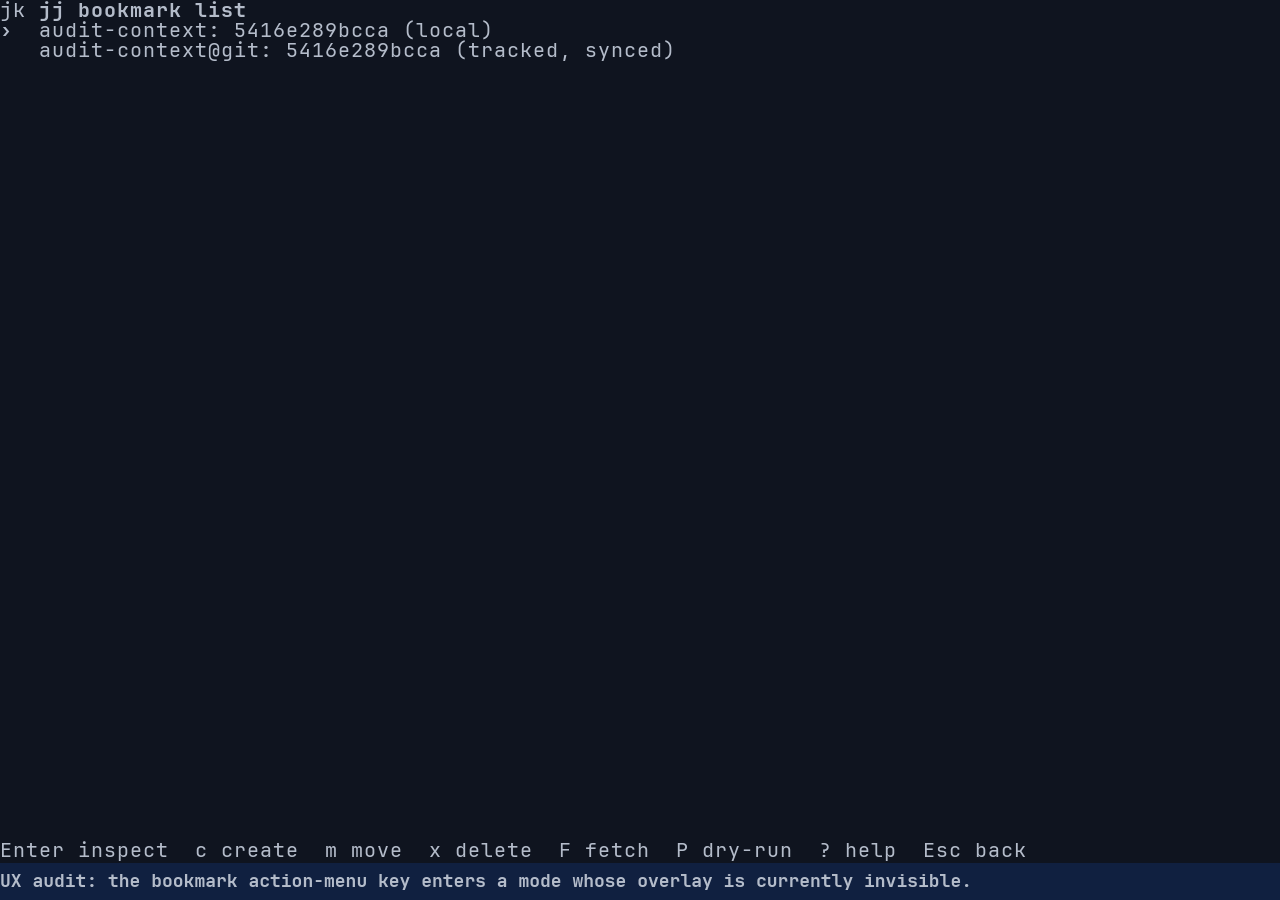
Read the terminal text
jk jj bookmark list
›  audit-context: 5416e289bcca (local)
   audit-context@git: 5416e289bcca (tracked, synced)


Enter inspect  c create  m move  x delete  F fetch  P dry-run  ? help  Esc back
Read the terminal text
jk jj -R /home/runner/work/jk/jk/target/manual-fixtures/workspaces.MvkFJr/workflows.8HgG9l/workspa
Working copy changes:
A ../scratch/KEEP-ME.txt
Working copy  (@) : tlznmvqv 6ada6fb2 (no description set)
Parent commit (@-): qnyvzuou b2e6655a Add workspace demo files


                     jj command

                     : describe -m 'Scope audit changed startup workspace' @

                     enter run   Ctrl-u clear   backspace edit   esc cancel
Read the terminal text
jk jj --no-pager --color always --repository /home/runner/work/jk/jk/target/manual-fixtures/worksp
Command: jj --no-pager --color always --repository /home/runner/work/jk/jk/target/manual-fixtures/
Status: success

Stdout:
<empty>

Stderr:
Working copy  (@) now at: qmquxmry 38b1b40c audit-context | (empty) Scope audit changed startup wo
Parent commit (@-)      : qnyvzuou b2e6655a Add workspace demo files

Actions: e edit/retry command   : run another jj command


? help  V options  r refresh  j/k line  space page  q quit
Read the terminal text
jk jj
›  @  qmquxmry [email protected] 2026-01-01 12:00:00 audit-context default@ 5416e289
·  │  (empty) Workspace lifecycle demo
   │ ○  tlznmvqv [email protected] 2026-01-01 12:00:00 scratch@ 6ada6fb2
   ├─╯  (no description set)
   ○  qnyvzuou [email protected] 2026-01-01 12:00:00 b2e6655a
   │  Add workspace demo files
   ◆  zzzzzzzz root() 00000000


? help  H home  L log  r refresh  enter open  d diff  v evolog  s status  space mark  ...  q quit
Binary, tool versions, and file hashes · Accepted pixel, text/style, and video review · action-diagnostics/bin/dependencies.log · action-diagnostics/tape-1.log · Outcome assertions 1 · Outcome assertions 2
All retained evidence (50 files)
Includes source tapes, original helper scripts, fixture details, terminal states, and logs.
- action-diagnostics/bin/dependencies.log
- action-diagnostics/manifest.json
- action-diagnostics/tape-1.log
- audit-baseline.json
- audit-recovered-assertions.json
- audit-scope-assertions.json
- audit-scope-context-bookmarks.json
- audit-scope-context-bookmarks.png
- audit-scope-context-hidden-help.json
- audit-scope-context-hidden-help.png
- audit-scope-context-input.json
- audit-scope-context-input.png
- audit-scope-context-recovered.json
- audit-scope-context-recovered.png
- audit-scope-context-result.json
- audit-scope-context-result.png
- audit-scope-context.mp4
- audit-scope-context.tape
- build-provenance.json
- capture.tape
- checkpoint-summary.json
- fixture-env.sh
- fixture.json
- source-scripts/abandon-dialog-fixture.sh
- source-scripts/action-menu-demo-fixture.sh
- source-scripts/betamax-cancellable-jj.sh
- source-scripts/betamax-fixture-env.sh
- source-scripts/betamax-fixture.sh
- source-scripts/betamax-setup.sh
- source-scripts/check-manual-coverage.py
- source-scripts/check-refresh-proof.py
- source-scripts/check-run-options-proof.py
- source-scripts/manual-assert.sh
- source-scripts/manual-audit-assert.py
- source-scripts/manual-fixture-jj.sh
- source-scripts/manual-fixture.sh
- source-scripts/manual-recordings.py
- source-scripts/package-release-archive.sh
- source-scripts/prepare-manual-evidence.py
- source-scripts/prepare-preview.sh
- source-scripts/reflow-rust-comments.py
- source-scripts/refs-remotes-demo-fixture.sh
- source-scripts/run-betamax.sh
- source-scripts/shared-selector-demo-fixture.sh
- source-scripts/test_manual_evidence.py
- source-scripts/test_manual_recordings.py
- source-scripts/workflows-demo-fixture.sh
- source-scripts/workspace-lifecycle-demo-fixture.sh
- source.tape
- accepted-review.json
Use the native confirmation for bookmarks and remotes
Screenshots and terminal evidence
Read the terminal text
jk jj
›  @  xuxnqppm [email protected] 2026-01-01 12:00:00 demo 1d7f5db5
·  │  Review cache publication
   ○  kspsvwkk [email protected] 2026-01-01 12:00:00 review-keep stable-a stable-b stable-c 7084ee8c
   │  Prepare remote workflow
   ◆  zzzzzzzz root() 00000000


       jj command

       : bookmark create review-topic
       error: bookmark changes are unavailable in command mode; use the bookmark view's B action

       enter run   Ctrl-u clear   backspace edit   esc cancel
Read the terminal text
jk jj
›  @  xuxnqppm [email protected] 2026-01-01 12:00:00 demo 1d7f5db5
·  │  Review cache publication
   ○  kspsvwkk [email protected] 2026-01-01 12:00:00 review-keep stable-a stable-b stable-c 7084ee8c
   │  Prepare remote workflow
   ◆  zzzzzzzz root() 00000000


  jj command

  : git push --dry-run
  error: git push is unavailable in command mode, including --dry-run; use the bookmark view's P
  action

  enter run   Ctrl-u clear   backspace edit   esc cancel
Read the terminal text
jk jj bookmark list
›  demo: 1d7f5db52643 (local)
   review-keep: 7084ee8c29aa (local)
   stable-a: 7084ee8c29aa (local)
   stable-b: 7084ee8c29aa (local)
   stable-c: 7084ee8c29aa (local)


              jj git fetch

              Command
              jj --no-pager --color never --repository
              /home/runner/work/jk/jk/target/dogfood-artifacts/fixtures/refs.kCTcqM/client
              git fetch --remote 'exact:"fixture"'


              enter run  y copy  esc cancel
Binary, tool versions, and file hashes · Accepted pixel, text/style, and video review · action-diagnostics/bin/dependencies.log · action-diagnostics/tape-1.log · Outcome assertions 1
All retained evidence (44 files)
Includes source tapes, original helper scripts, fixture details, terminal states, and logs.
- action-diagnostics/bin/dependencies.log
- action-diagnostics/manifest.json
- action-diagnostics/tape-1.log
- build-provenance.json
- capture.tape
- checkpoint-summary.json
- fixture-env.sh
- fixture.json
- inspection-assertions.json
- manual-command-restrictions-bookmark-blocked.json
- manual-command-restrictions-bookmark-blocked.png
- manual-command-restrictions-native-path.json
- manual-command-restrictions-native-path.png
- manual-command-restrictions-push-blocked.json
- manual-command-restrictions-push-blocked.png
- manual-command-restrictions.mp4
- manual-command-restrictions.tape
- source-scripts/abandon-dialog-fixture.sh
- source-scripts/action-menu-demo-fixture.sh
- source-scripts/betamax-cancellable-jj.sh
- source-scripts/betamax-fixture-env.sh
- source-scripts/betamax-fixture.sh
- source-scripts/betamax-setup.sh
- source-scripts/check-manual-coverage.py
- source-scripts/check-refresh-proof.py
- source-scripts/check-run-options-proof.py
- source-scripts/manual-assert.sh
- source-scripts/manual-audit-assert.py
- source-scripts/manual-fixture-jj.sh
- source-scripts/manual-fixture.sh
- source-scripts/manual-recordings.py
- source-scripts/package-release-archive.sh
- source-scripts/prepare-manual-evidence.py
- source-scripts/prepare-preview.sh
- source-scripts/reflow-rust-comments.py
- source-scripts/refs-remotes-demo-fixture.sh
- source-scripts/run-betamax.sh
- source-scripts/shared-selector-demo-fixture.sh
- source-scripts/test_manual_evidence.py
- source-scripts/test_manual_recordings.py
- source-scripts/workflows-demo-fixture.sh
- source-scripts/workspace-lifecycle-demo-fixture.sh
- source.tape
- accepted-review.json