Appearance
Every option on this page is a method on Diff, so you can change it from one frame to the next.
The viewport stays anchored to the nearest source line when layout changes.
All screenshots render the same change to a client’s retry settings, using
DiffTheme::aardvark_ink() at 101 columns (49 for the narrow examples). They capture the widget
alone, without any application chrome.
| Option | Default | Method |
|---|---|---|
| Layout | Unified | .mode(ViewMode::Split) |
| Wrapping | Off | .wrap(true) |
| Whitespace | Hidden | .whitespace(true) |
| Tab width | 4 cells | .tab_width(8) |
| Line numbers | Shown | .line_numbers(false) |
| Word highlights | Shown | .word_highlights(false) |
| Theme | dark() |
.theme(DiffTheme::…) |
Unified or split
Section titled “Unified or split”Unified view gives each line the full width, which suits narrow hosts and changes that read top to
bottom. Old and new line numbers sit in separate columns, and - and + mark each side.
use ratatui_diff::{Diff, DiffDocument, DiffTheme, ViewMode};
let document = DiffDocument::from_text("timeout_ms: 500,\n", "timeout_ms: 1500,\n");let diff = Diff::new(&document)    .theme(DiffTheme::aardvark_ink())    .mode(ViewMode::Unified);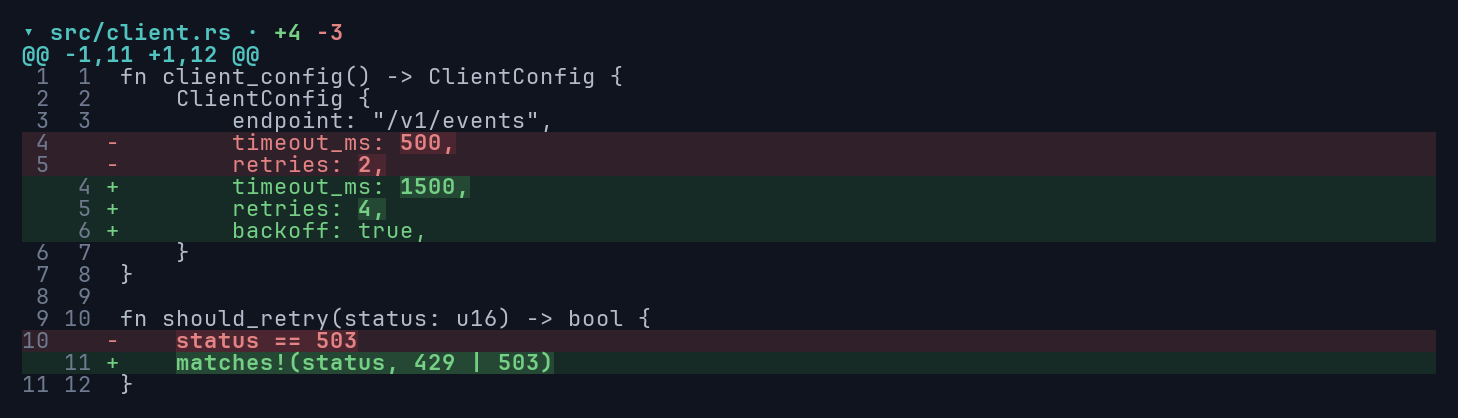
Split view keeps old and new source side by side. Blank rows keep changes of different lengths aligned. Replacements pair lines by similarity within bounds, preserving source order; moved code is not detected.
let diff = Diff::new(&document) .theme(DiffTheme::aardvark_ink()) .mode(ViewMode::Split);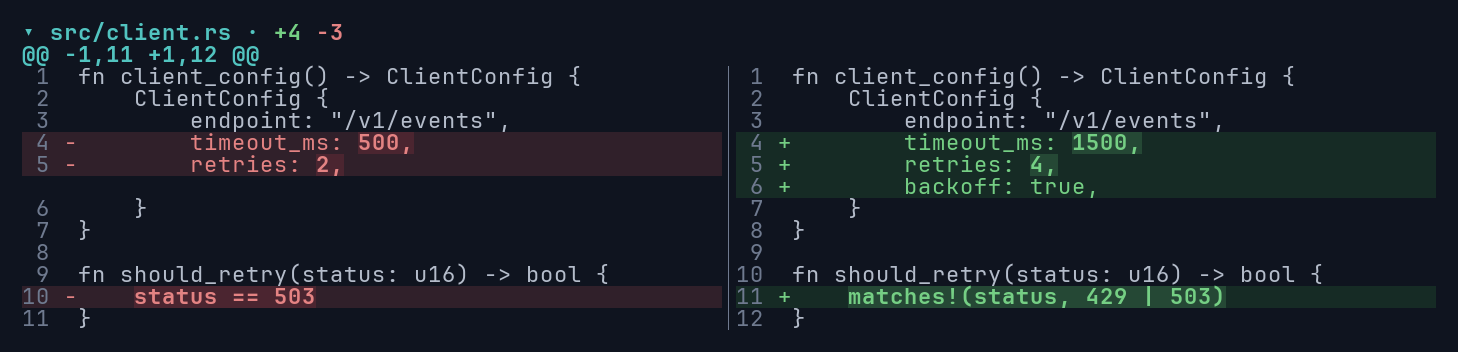
The widget never switches modes on its own. If your host wants a breakpoint, pick the mode from the area width before rendering.
Word highlights and line numbers
Section titled “Word highlights and line numbers”Word highlights point to small edits inside a changed line. Adjacent changed words join into one highlighted phrase. Disable them to keep only the row colors:
let diff = Diff::new(&document) .mode(ViewMode::Split) .word_highlights(false);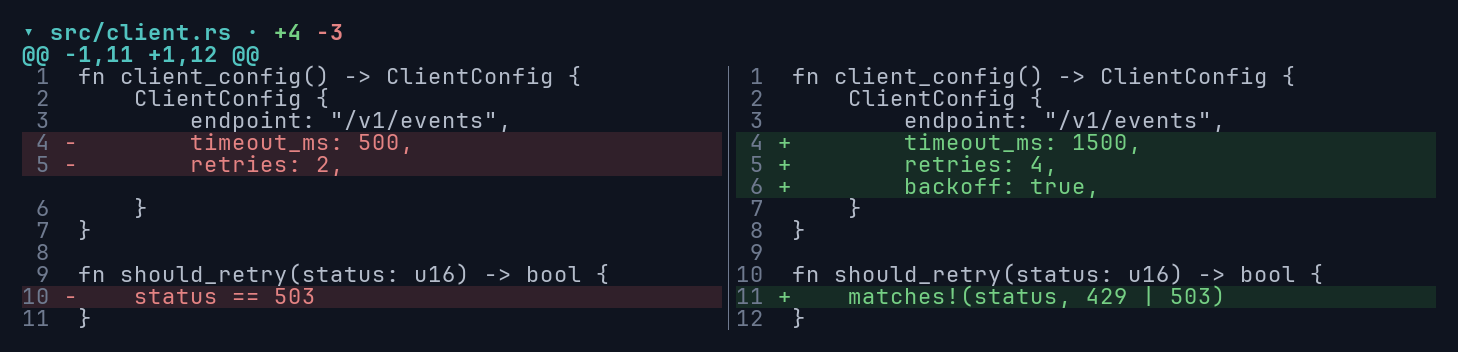
Hiding line numbers recovers space for source. The + and - markers stay, so the change is still
visible without relying on color.
let diff = Diff::new(&document) .mode(ViewMode::Split) .line_numbers(false);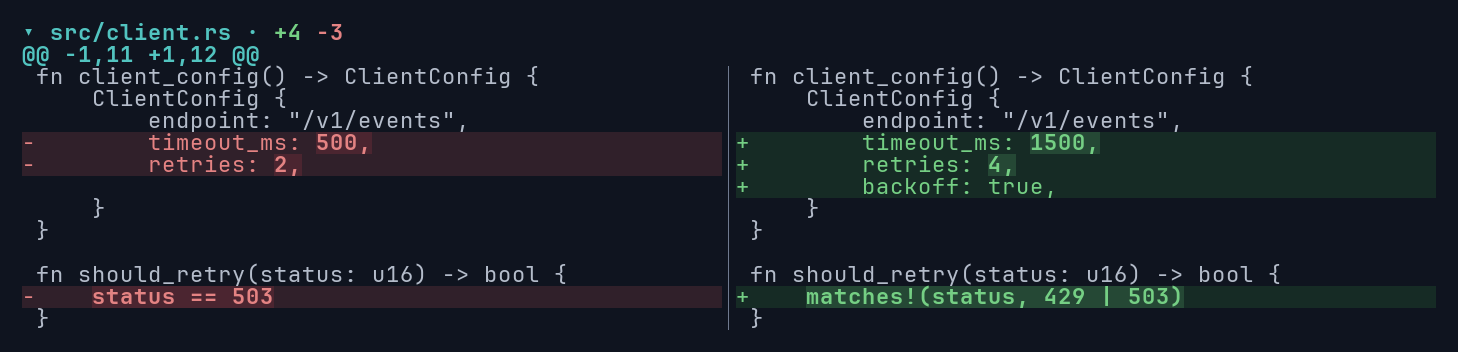
Whitespace
Section titled “Whitespace”Whitespace markers make indentation and trailing spaces visible without changing the source. The generated dots and tab arrows are dimmed and keep the row’s background. Literal dots in the source keep their normal style, and copied text never contains markers.
let diff = Diff::new(&document) .mode(ViewMode::Split) .whitespace(true);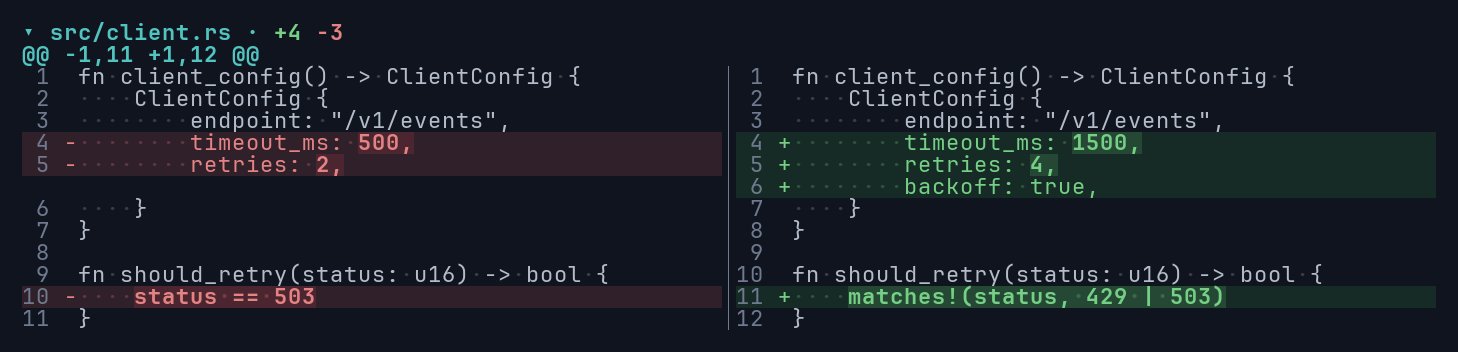
Narrow views and wrapping
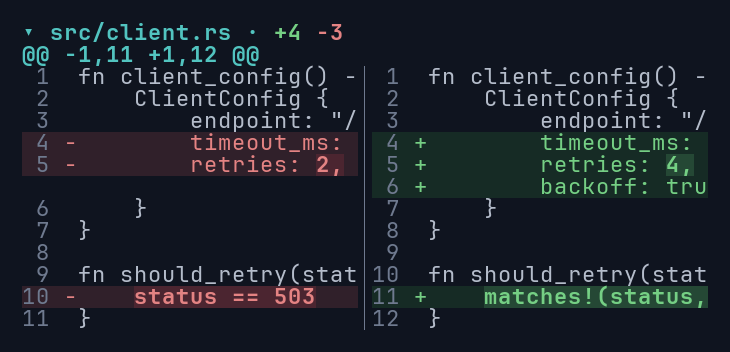
Section titled “Narrow views and wrapping”Without wrapping, a split view clips long lines at the pane boundary and scrolls both panes
horizontally together (state.scroll_horizontal(cells)). Graphemes are never split at the edge.
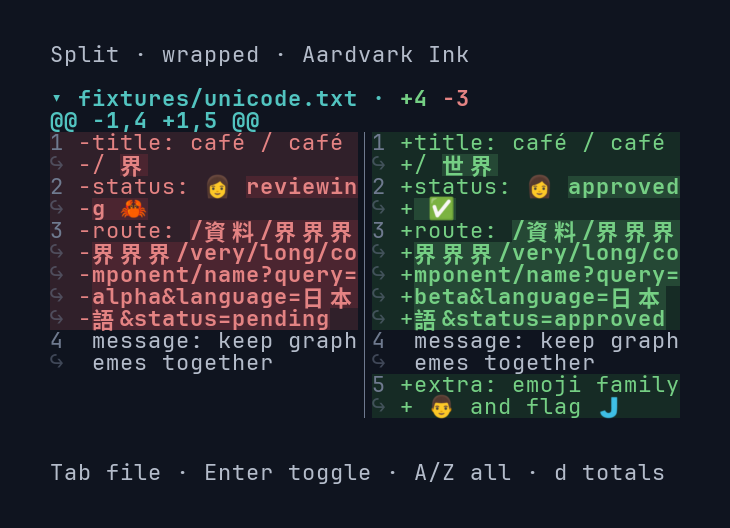
With wrapping, long lines continue on extra rows. Continuations show a dim ↪ in the number column,
and a split row takes the height of its taller side.
let diff = Diff::new(&document) .mode(ViewMode::Split) .whitespace(true) .wrap(true);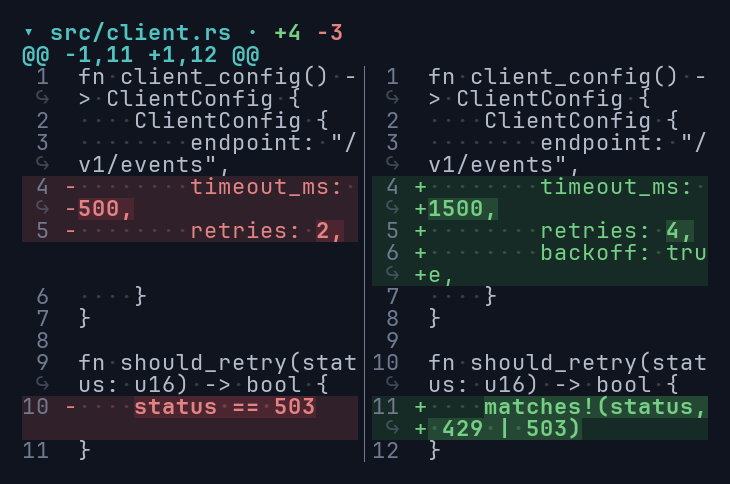
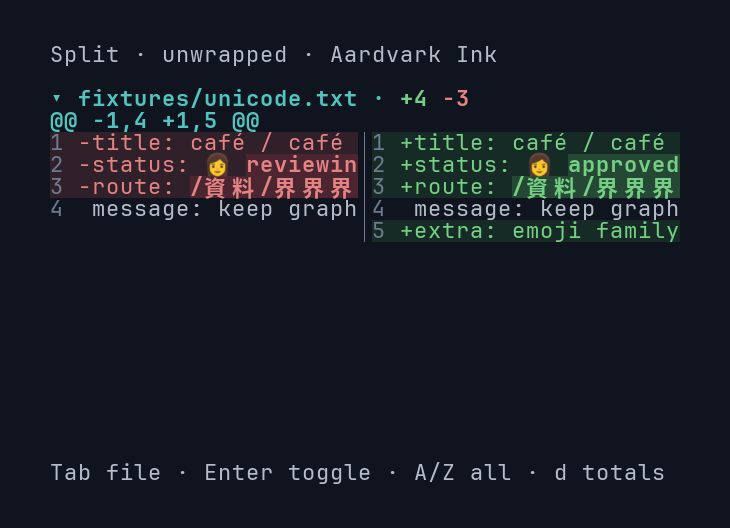
Wrapping respects grapheme clusters and wide characters, including CJK text and emoji:
Themes
Section titled “Themes”Each DiffTheme style can be customized independently, starting from one of four presets:
| Preset | Colors | Use it when |
|---|---|---|
dark() |
Terminal palette (ANSI) | Respecting the user’s dark terminal palette |
light() |
RGB text over terminal palette roles | Running in a light terminal |
aardvark_ink() |
Explicit RGB foregrounds and backgrounds | You want fixed colors on a dark surface |
monochrome() |
None; markers, bold, and underline only | Color is unavailable or unwanted |
aardvark_ink() needs truecolor support and also sets the widget background. Its source text,
headers, markers, and changed words keep at least 4.5:1 contrast against their row backgrounds.
Monochrome keeps + and - and underlines changed words, so the diff stays readable with no color
at all:
let diff = Diff::new(&document) .theme(DiffTheme::monochrome()) .mode(ViewMode::Split) .whitespace(true) .wrap(true);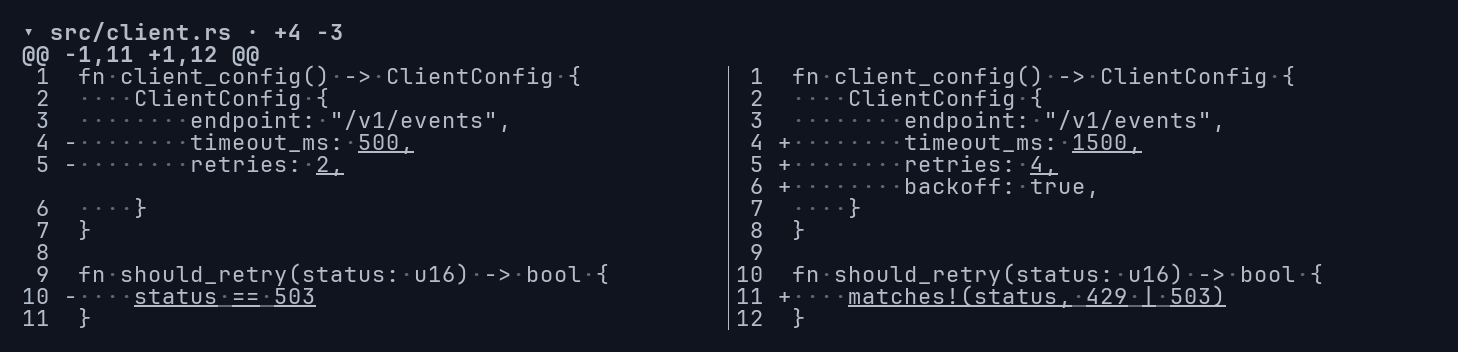
Switching themes or toggling word highlights doesn’t rebuild layout, so it is cheap to do every frame.
Margins
Section titled “Margins”The widget fills the area you give it. To add padding or room for controls, render it into a smaller
Rect from your own layout. Each source line always occupies one terminal row per displayed line.