Selection and hit-testing
The widget knows which source byte every rendered cell came from. Your host uses that to handle mouse hover and clicks, and to copy exactly what the reader selected, without gutters, wrap arrows, padding, or whitespace markers.
Coordinates
Section titled “Coordinates”| Type | Identifies |
|---|---|
SourcePosition |
File index, old or new side, one-based line |
SourceRange |
A position plus a half-open UTF-8 byte range within that line |
SourceBoundary |
A caret: a position plus one byte offset |
SourceSelection |
An anchor and a focus boundary |
Coordinates belong to the document that produced them. Discard them when you replace the document.
Hit-testing
Section titled “Hit-testing”DiffState::hit_test(x, y) takes absolute terminal cells and uses the layout from the last render.
use ratatui_diff::{DiffState, HitTest};
fn describe(state: &DiffState, x: u16, y: u16) -> String {    match state.hit_test(x, y) {        Some(HitTest::FileHeader { .. }) => "file header".into(),        Some(HitTest::Fold { fold }) => format!("{} hidden lines", fold.line_count()),        Some(other) => format!("{other:?}"),        None => "outside the diff".into(),    }}
Source hits return the complete grapheme’s byte range. Tabs, wide characters, and control notation map every one of their cells to the same source. Unified context lines report both old and new ranges; split panes report only their own side. Headers, gutters, the pane separator, padding, and final-newline cues have their own results with no source bytes.
The viewer shows the hit under the pointer in its status row (press p to probe a fixed cell):
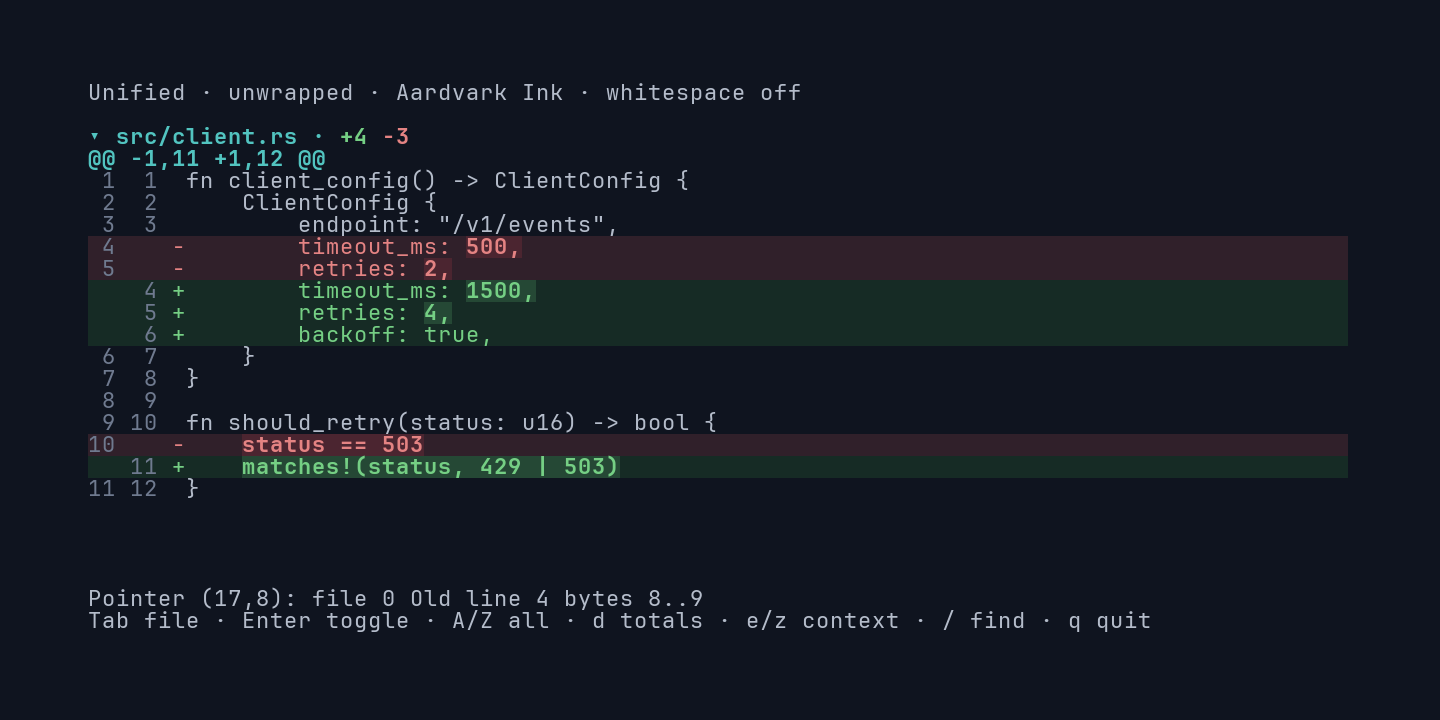
Hit-testing returns None before the first render and after navigation until the next render. After
a resize or replacing options, call invalidate_hit_testing() before handling more pointer events.
Lookup takes about 15 ns per cell and doesn’t depend on document size.
Select and copy
Section titled “Select and copy”Keep the selection in DiffState. Move the focus from your key bindings with SelectionMotion, and
read the result with selected_text:
use ratatui_diff::{    DiffDocument, DiffState, SelectionMotion, Side, SourceBoundary, SourcePosition,    SourceSelection,};
let document = DiffDocument::from_text("old\n", "new\n");let caret = SourceBoundary {    position: SourcePosition { file: 0, side: Side::New, line: 1 },    byte: 0,};let mut state = DiffState::new();assert!(state.set_selection(&document, SourceSelection { anchor: caret, focus: caret }));assert!(state.extend_selection(&document, SelectionMotion::Next));assert!(state.reveal_selection());assert_eq!(state.selected_text(&document).as_deref(), Some("n"));// Hand the String to your clipboard integration.
Selected text is the original source: tabs, control characters, CRLF, and the final-newline state are preserved. A selection wrapped across several rows copies as one line:
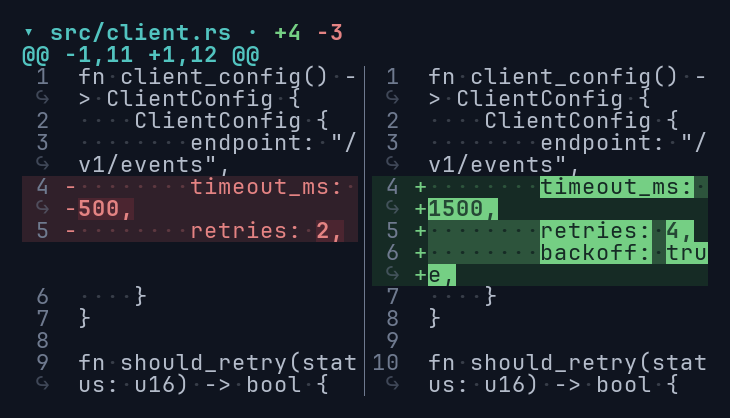
Rules worth knowing:
- A selection stays within one side of one file. Endpoints must be grapheme boundaries.
- Keyboard motion moves by whole graphemes and can’t cross a missing patch line.
- Selection survives resizing, scrolling, theme, and mode changes. Rendering a different document clears it.
- Moving the focus doesn’t scroll. Call
reveal_selection()when it should come into view on the next render. - Change the overlay with
Diff::selection_style. It draws after word highlights and search.
Pointer selection
Section titled “Pointer selection”For drag selection, hit-test the press position and turn its SourceRange into a caret with
start_boundary() or end_boundary(). In unified context, choose a side at the start of the drag
and keep it; ignore hits on the other side or another file while dragging. A gutter hit carries a
line identity you can turn into a whole-line selection.