Folding and file headers
Folding changes what is displayed, never the document. Line numbers, search matches, and copied text
still refer to the full source. Fold preferences live in DiffState, and your host decides which
keys, clicks, or saved preferences drive them.
| What folds | Hides | Control | Available |
|---|---|---|---|
| A file | Metadata, hunks, and source below its header | FileFold |
Before or after render |
| Unchanged context | Retained unchanged lines inside a hunk | ContextFold |
After render, with a context radius |
| Unavailable context | Lines the document doesn’t have | None | Supply a new document |
Fold files
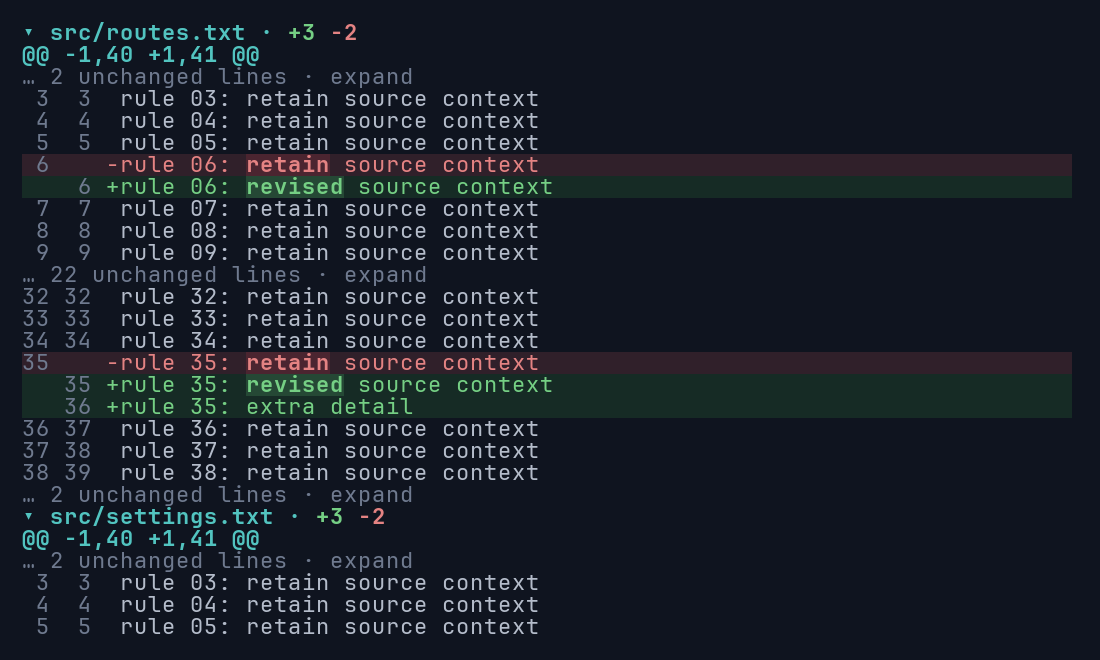
Section titled “Fold files”Files start expanded. A multi-file patch looks like this:
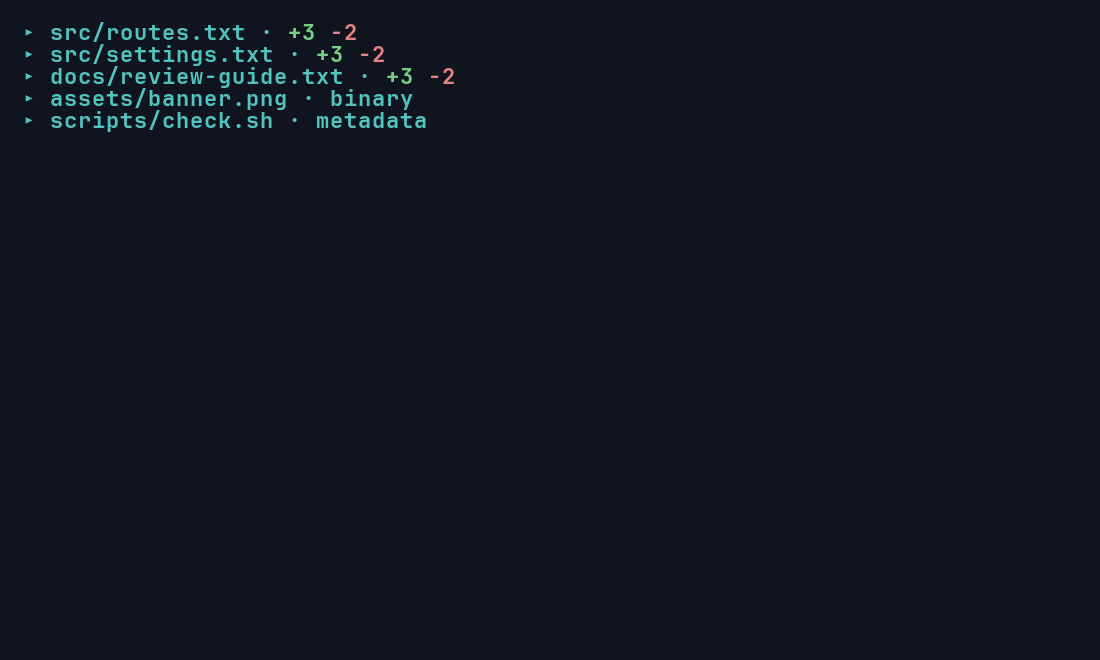
Collapse them all to get an overview. Binary and metadata-only files stay listed:
After a render, file_folds() lists every file’s handle. A loop handles bulk actions:
use ratatui_diff::DiffState;
fn collapse_all(state: &mut DiffState) {    for file in state.file_folds().to_vec() {        state.set_file_expanded(&file, false);    }}
Clicking a file header returns HitTest::FileHeader { fold }, so a mouse toggle is one call to
set_file_expanded(&fold, !state.file_expanded(&fold)).
Restore saved preferences before the first frame
Section titled “Restore saved preferences before the first frame”To reopen a review with the same files collapsed, resolve saved paths against the current document and set them before rendering. The first frame then draws collapsed, with no expanded flash.
use ratatui_diff::{DiffDocument, DiffState};
let document = DiffDocument::from_text("old\n", "new\n");let saved_collapsed_paths = ["new"];let mut state = DiffState::new();for (index, file) in document.files().iter().enumerate() {    if file.new_path.as_deref().is_some_and(|path| saved_collapsed_paths.contains(&path)) {        let handle = document.file_fold(index).unwrap();        assert!(state.set_file_expanded(&handle, false));    }}
Persist paths, not handles or indexes: they aren’t stable across documents.
Fold unchanged context
Section titled “Fold unchanged context”Set a context radius to collapse long runs of unchanged lines into a summary row. This needs a
document that retains those lines, such as one built with
DiffDocument::compare(old, new, usize::MAX).
use ratatui_diff::{Diff, DiffDocument};
let document = DiffDocument::compare("a\nb\nc\nd\n", "a\nb\nc\nD\n", usize::MAX);let diff = Diff::new(&document).context_lines(Some(3));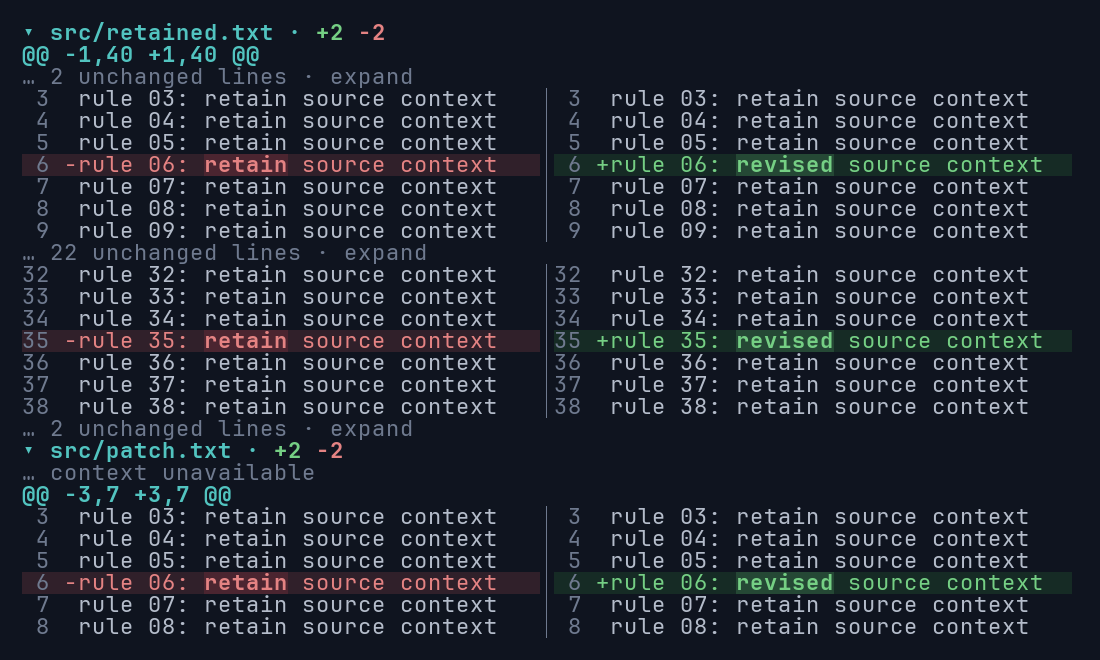
After rendering, context_folds() lists the candidates and set_context_expanded opens or closes
one. Clicking a summary returns HitTest::Fold { fold }. Context from a patch that was never
supplied shows as “context unavailable” and has no expansion control; to expand it, your host must
provide a new document with the full source.
What opens automatically
Section titled “What opens automatically”Explicit jumps open the containing file and context fold on the next render: scroll_to_source,
search navigation, hunk navigation, and reveal_selection. File navigation (next_file) visits
headers without expanding them. Setting a search query or a selection alone doesn’t open anything.
Collapsing a file manually cancels any pending automatic reveal.
Collapsing a file keeps the context fold preferences inside it. Width, wrapping, and mode changes keep all preferences. Changing the context radius resets context folds, and replacing the document resets both.
Change totals
Section titled “Change totals”File headers show insertion and deletion counts in the theme’s colors. Monochrome keeps the + and
− signs. Pin a document-wide summary above the scrollable rows with show_stats(true):
use ratatui_diff::{Diff, DiffDocument};
let document = DiffDocument::from_text("old\n", "new\n");let diff = Diff::new(&document).show_stats(true);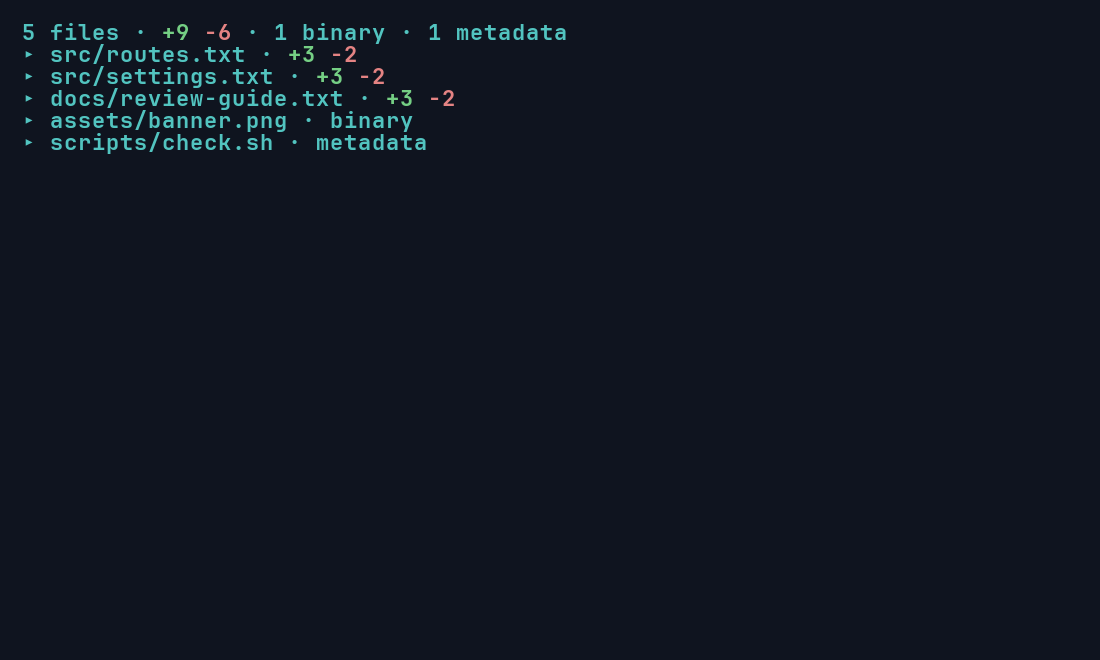
The summary takes one row and stays visible while scrolling or when every file is collapsed. Counts never change with folding or wrapping, and binary files have no line estimate.
Sticky file headers
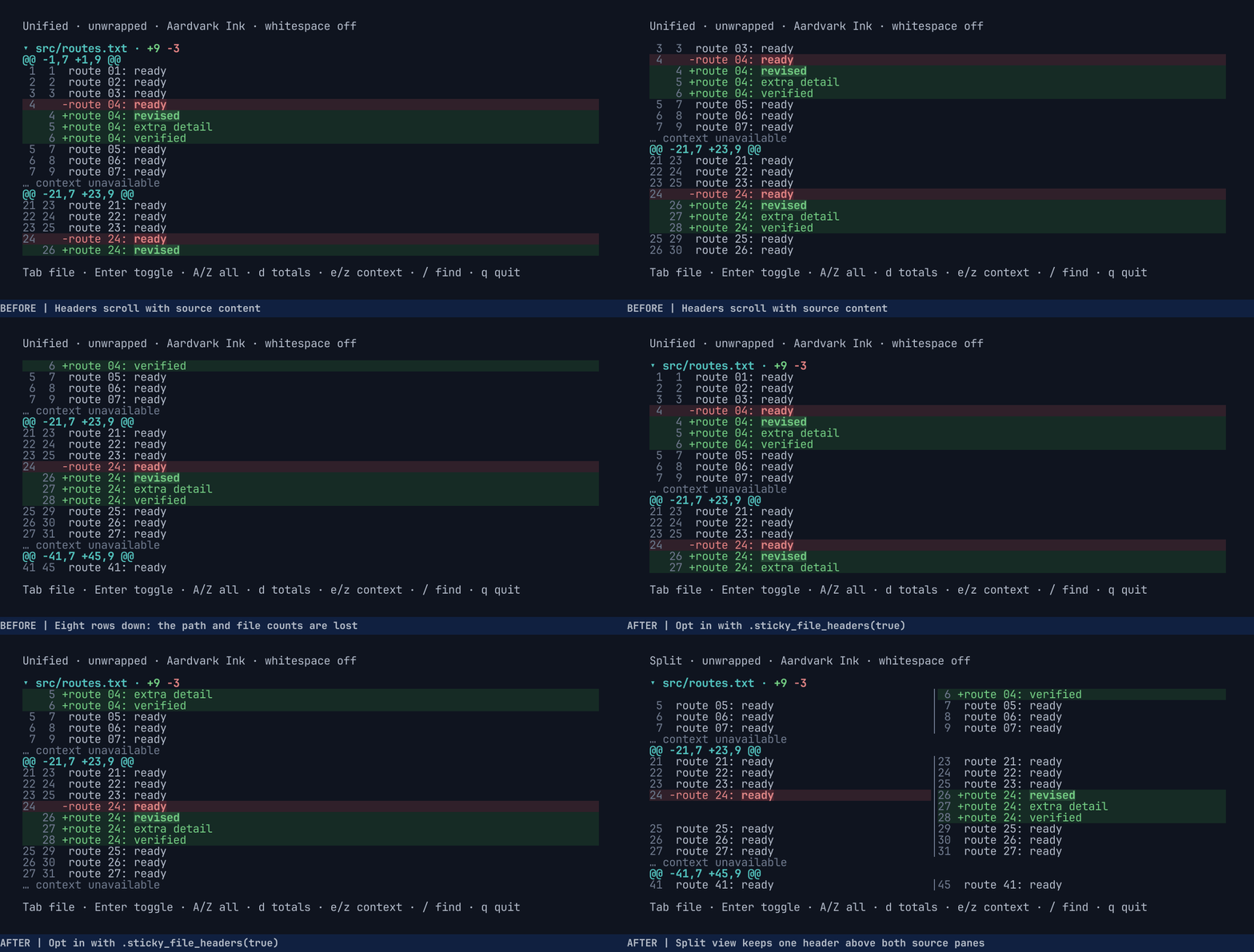
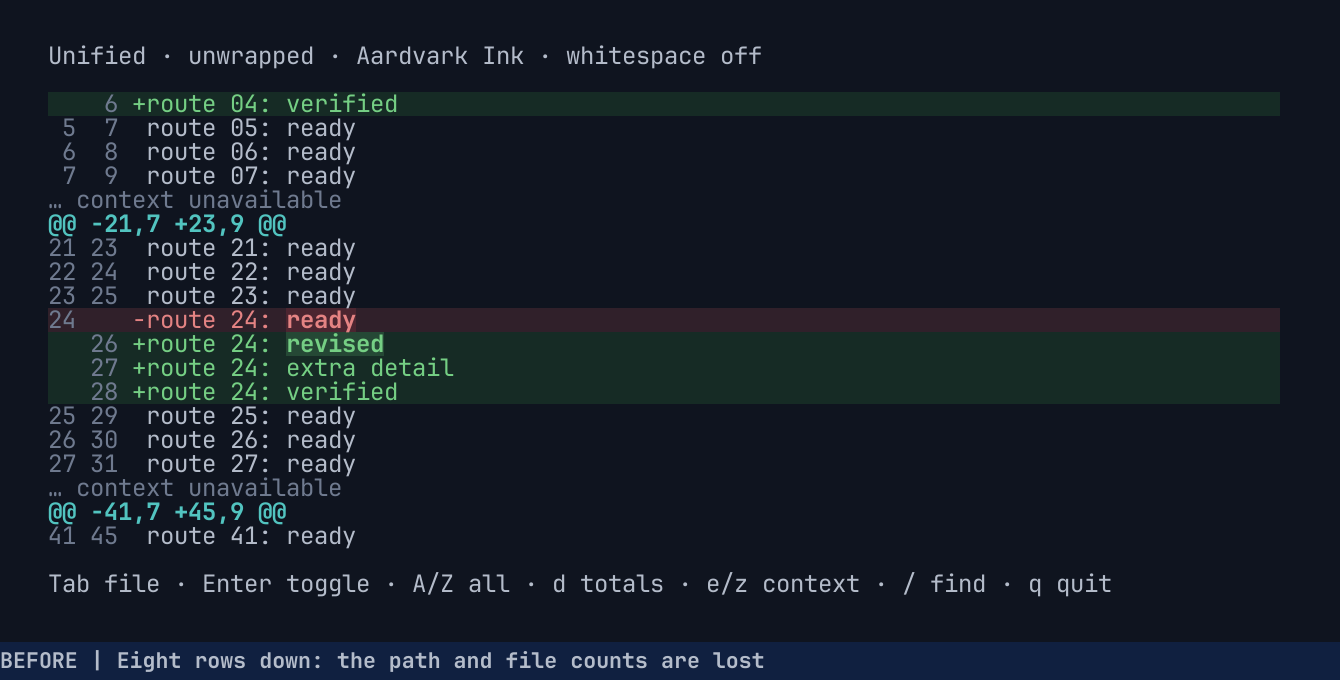
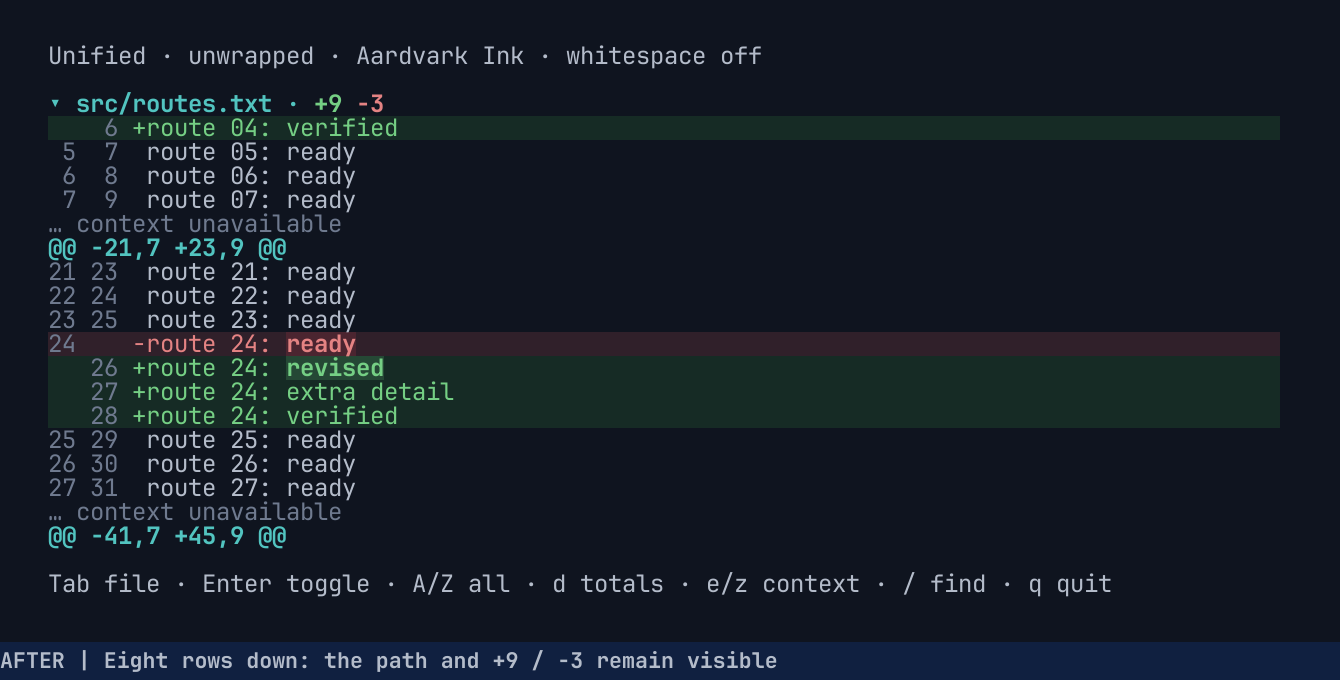
Section titled “Sticky file headers”In a long diff, scrolling past a file’s header loses its path and counts.
sticky_file_headers(true) keeps the current file’s header pinned above the content.
use ratatui_diff::{Diff, DiffDocument};
let document = DiffDocument::from_text("old\n", "new\n");let diff = Diff::new(&document)    .sticky_file_headers(true)    .show_stats(true);
After scrolling eight rows with the default configuration, the path is gone:
With sticky headers, the same scroll keeps src/routes.txt · +9 −3 at the top:
In split view, one header spans both panes:
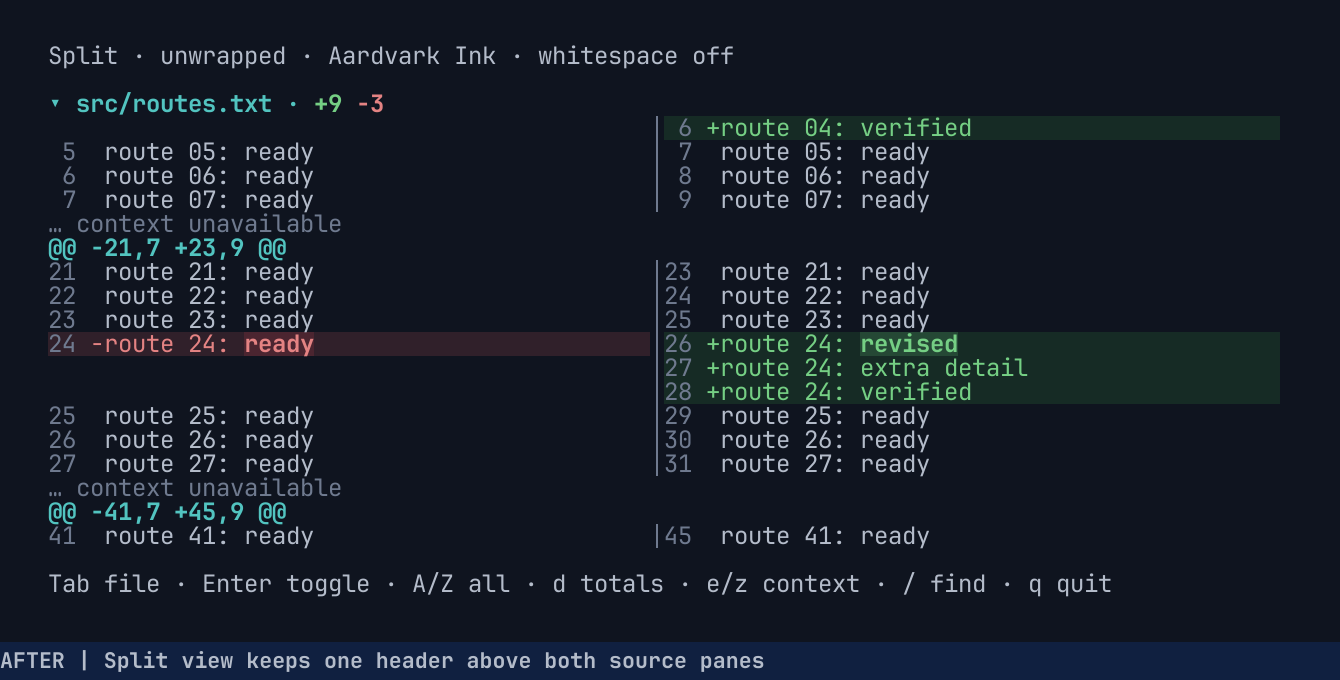
The pinned header sits below the optional totals row, switches when the next file reaches the top,
and still returns HitTest::FileHeader, so your fold toggle keeps working. It’s off by default and
doesn’t rebuild layout.
Play the before/after comparison (animated, 1.2 MB)